TL;DR
- Zoho has run WhatsApp through SalesIQ for years. Teams running Zoho that still support WhatsApp from the free WhatsApp Business mobile app lose measurement, routing continuity, and the CRM record their other channels already have.
- Meta changed WhatsApp pricing in July 2025 and again in October 2026. The current math is the first 1,000 service messages per phone number each month free, per message billing on service messages after that, Utility and Marketing templates billed separately at their own category rates, and SalesIQ credits sitting on top at 2 US dollars each with a 3 percent processing fee. Business cases built on earlier pricing need recalculation against the current table.
- Zoho’s SalesIQ WhatsApp setup guide covers the install mechanics. It does not foreground the 11 edge behaviors that decide whether a pilot holds at scale, from pre chat form behavior on WhatsApp to Desk timer precedence to what shared number eligibility actually means across portal types.
- This guide walks through what SalesIQ WhatsApp gives the business, how the pieces fit together, 11 field findings from Clixlogix engagements, pricing in current terms, and 8 pre launch tests that catch what tends to leak after go live.
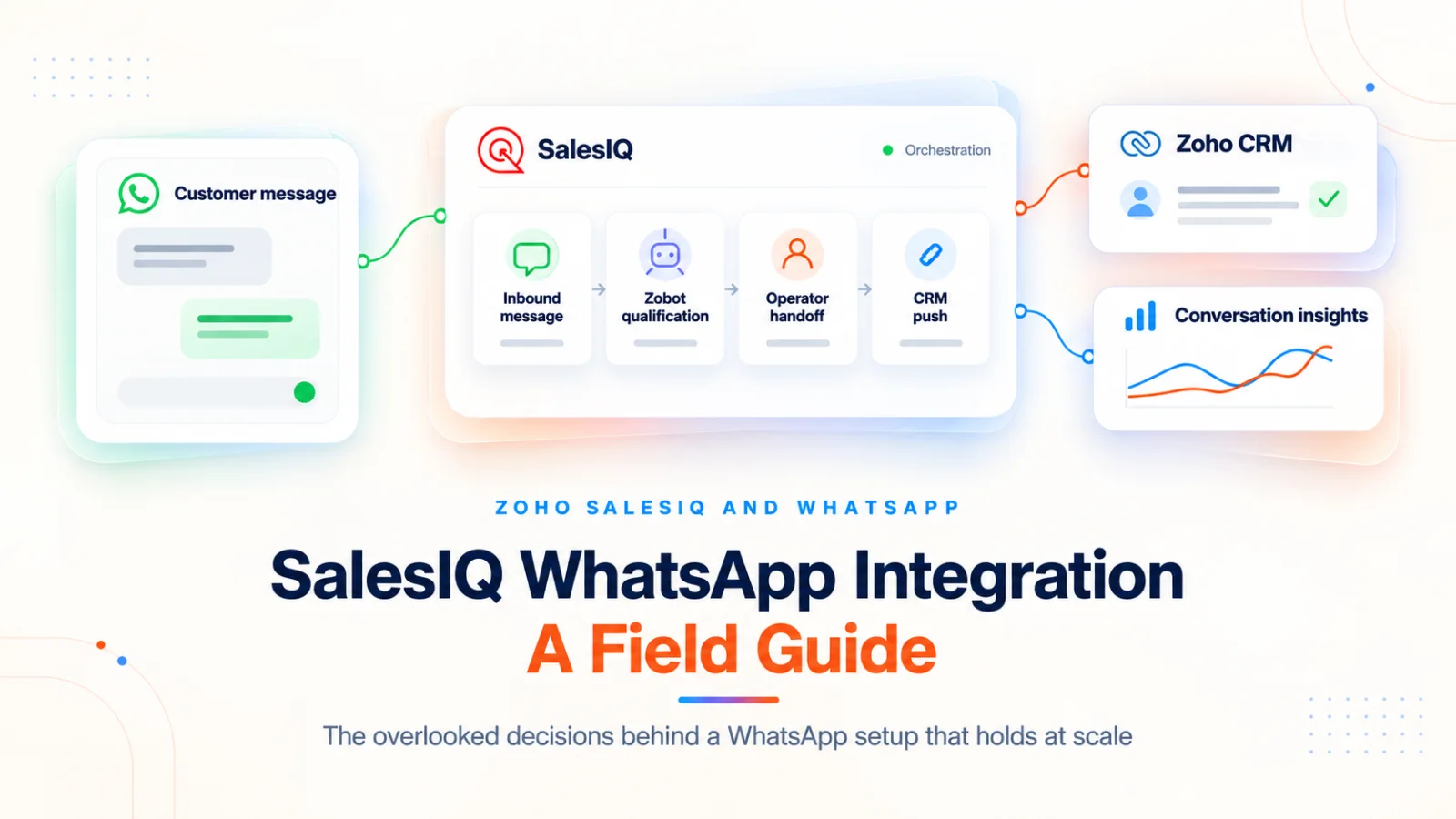
A SalesIQ WhatsApp integration connects a business’s WhatsApp Business number to Zoho SalesIQ, so inbound WhatsApp messages land in the same operator queue as web chat and other channels, the Zobot automates the first stretch of the conversation, and the transcript can push to Zoho CRM when the operator finishes. For a business already running on Zoho, the integration turns WhatsApp from a side channel into a tracked, routed, reportable surface.
The sequence - Choose the path first. Design the handoffs second. Treat pricing and roadmap claims as time sensitive.
This guide gives a business reader the mental picture, a technical reader the field edges Zoho’s own setup guide does not foreground, and both a short pre launch test plan. CRM direct WhatsApp and Marketing Automation campaigns are separate Zoho paths with different setup models and sit outside the scope of this guide. Shared bundle configurations are covered here only where they affect SalesIQ behavior.
What a SalesIQ WhatsApp integration gives the business
Four concrete capabilities land once the integration is live:
- Inbound WhatsApp in the operator queue - A customer sending a WhatsApp message to the business number lands in the SalesIQ operator queue alongside web chat. For non template service replies inside Meta’s 24 hour customer service window, and within the current monthly service message allowance set by Meta, SalesIQ carries the conversation without an additional per message Meta charge on the business side. Beyond the allowance, Meta bills the standard recipient country rate. Utility and Marketing templates sent inside the window are billed separately at their own category rates.
- A chatbot in front of operators - The Zobot handles the opening exchanges, qualifies the request, and escalates to a human only when needed. Operators spend less time on repetitive intake.
- Outbound WhatsApp from the same console - Operators can send proactive template messages to known phone numbers, and marketing can run broadcasts against a filtered audience of SalesIQ Users who have previously interacted, all from the SalesIQ Outbound module. The Import Contacts beta extends broadcasts to CRM contacts who have not interacted yet, with support enablement required. Summer ’26 added operator level initiation by phone number without a prior contact record.
- CRM transcript push - When a conversation closes, and both the CRM integration and transcript synchronization are enabled, the transcript, the attendant and visit context, operator notes, and an automatic activity note can push to Zoho CRM against the matched Lead or Contact. The WhatsApp conversation then appears on that CRM record alongside other channel activity for the contact.
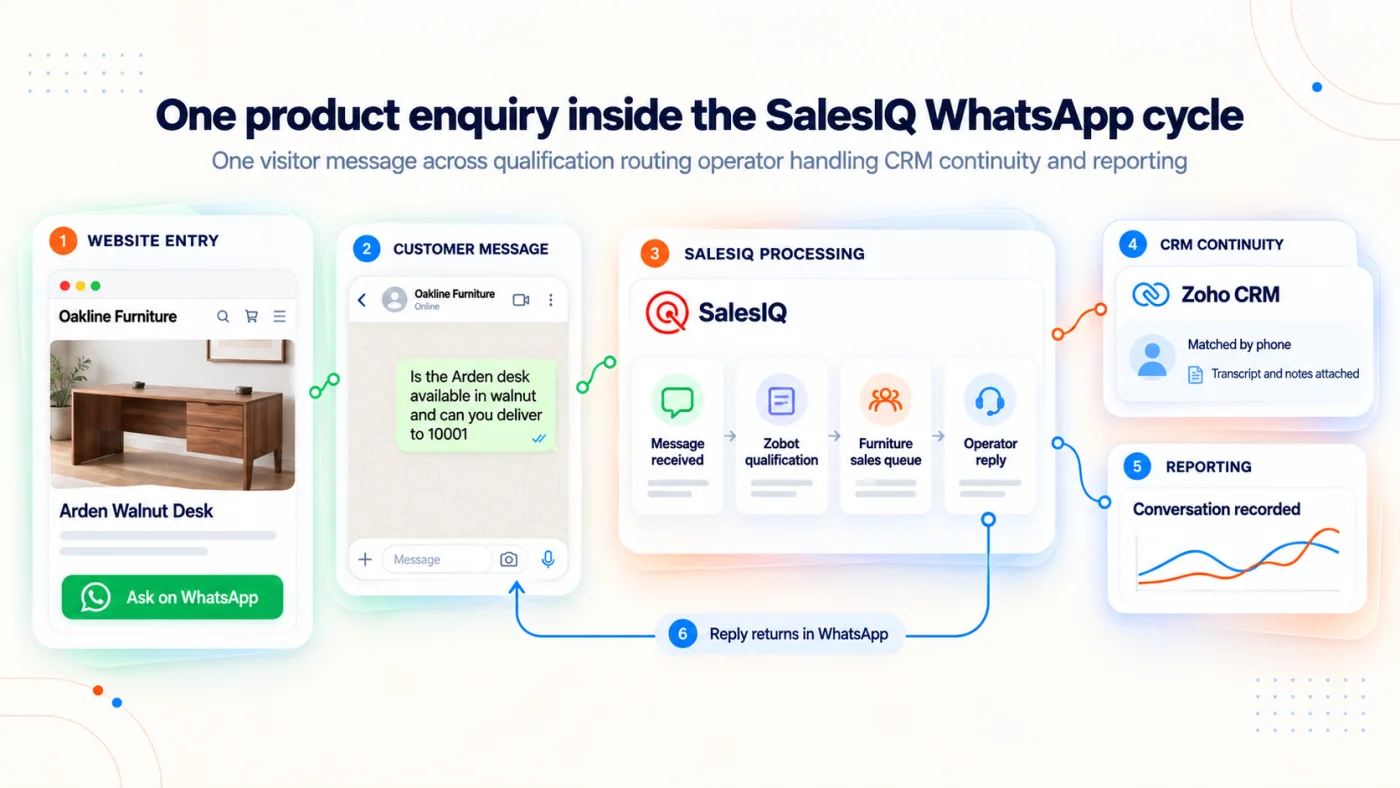
Fig 1 – How a SalesIQ WhatsApp integration connects a business number to the operator console and the CRM record
The practical effect is that WhatsApp becomes a measurable channel. Inbound traffic reports alongside web chat. Outbound campaigns report Delivered, Seen, and Reply metrics, and after Summer ’26 also clicks, response rate, and a response volume heat map through Reports 2.0, available on eligible Professional and Enterprise plans. That measurability is the operational difference between the free WhatsApp Business mobile app and a SalesIQ WhatsApp integration.
How Pieces From SalesIQ and WhatsApp Integrate Together
A SalesIQ WhatsApp integration has four moving parts on the Zoho side plus Meta on the outside.
The WhatsApp Business number sits in Meta’s system through a WhatsApp Business Account (WABA). SalesIQ connects to that WABA through Meta Business Manager during onboarding, and one WABA number can now sit across multiple Zoho products at the same time, shipped in the Summer ’26 release.
SalesIQ owns the inbound side. Routing rules place incoming messages in operator groups. The Zobot runs the automated opening of each conversation. A pre chat form and Visitor Fields card capture identity before or during the operator handoff.
Templates and outbound run through Meta’s template approval surface. SalesIQ supports Marketing and Utility categories today, and Summer ’26 shipped multilingual template support in 70+ languages along with a Channel Message card inside the codeless Zobot builder for triggering templates from a flow.
CRM push and the Desk ticket surface sit beside SalesIQ. A SalesIQ to CRM mapping handles field mapping, Lead and Contact creation, and transcript attachment. A SalesIQ to Desk link, where configured, can turn a missed WhatsApp chat into a Desk ticket.
Zoho’s SalesIQ WhatsApp setup guide handles the step by step install for the WhatsApp channel itself. CRM mapping, Desk integration, and Zobot design each live in separate Zoho documentation, so readers starting from scratch should begin with the channel guide and reach for the others as the build moves across parts. Between those parts sit the operational edges the channel guide does not foreground. That is what the next section covers.
What Zoho’s Official SalesIQ and WhatsApp Integration Guide Does Not Foreground
Eleven field findings from Clixlogix engagements. Each one is a thing the standard SalesIQ WhatsApp setup guide treats lightly or not at all. Status labels mark what has shipped and what has not.
Shipped, Summer ’26Shared number across Zoho products
One WhatsApp Business number can now be attached across CRM, Desk, and SalesIQ at the bundle level. One number, several Zoho apps consuming it. For a business running Zoho One or a bundle, this removes the historical “pick one app” constraint.
Portal dependentShared number behavior depends on portal type
Zoho documents unified conversation context when the number is shared through an eligible connected bundle such as Zoho One or CRM Plus. Standalone products and portals upgraded from standalone maintain separate channels and histories. Clixlogix has observed synchronization inconsistencies in some configurations, so teams should confirm the portal’s eligibility and test message visibility, Zobot activation and closure behavior before launch.
Roadmap, no production dateWhatsApp mobile app coexistence
Running the native WhatsApp Business mobile app on the same number as a Zoho integration is in Zoho’s product pipeline. Teams that need the mobile app for owners or field staff should plan the pilot around a single operator surface for now.
Roadmap, no production dateWhatsApp Business Calling
Voice conversations through the WhatsApp Business platform remain pre release work. Zoho described Calling as a top priority after the Summer ’26 cycle, with future early access offered.
Current limitationPre chat form settings apply across every channel
The pre chat form is global, so a form designed for web visitors presents the same fields to WhatsApp users, including email and company. Zoho recommends channel branching inside the codeless Zobot platform as the current workaround. Clixlogix engagements use a conversation first flow. They capture the first WhatsApp message, acknowledge intent, branch by channel in the Zobot, and collect identity later, with the phone number as the primary CRM key and email collection held until a downstream step genuinely needs it.
Unconfirmed defectMandatory pre chat questions can hide inbound messages
Multiple users and Clixlogix teams have reproduced inbound WhatsApp messages failing to reach operator queues until the user answers mandatory Flow Control fields. Zoho has not confirmed the queue hiding effect in writing, so test it on every build before launch.
Shipped, September 2026Name Card button requirement removed
SalesIQ accepts a typed name directly on the Name Card prompt. Older bot configurations that forced a button tap should be simplified.
Current behaviorLocation card loops on typed addresses
The Zobot Location card expects a WhatsApp pin attachment. If the user types an address, the card can repeat the prompt. Use the Visitor Fields free text card when a pin is not required, and reserve the Location card for cases that genuinely need GPS attachment.
Shipped behaviorDesk integration can override the WhatsApp channel timer
When SalesIQ is linked to Zoho Desk and Desk is configured to close missed chats, that configuration takes precedence over the WhatsApp channel timer. Align both settings during setup, or the handoff queue behaves in ways the channel timer alone does not explain.
Shipped recipeSeparate auto closed WhatsApp chats from agent closed in reporting
Agent closed and timeout closed WhatsApp chats look identical in default views, which breaks SLA reporting and CRM follow up logic that needs to key off either closure type. A SalesIQ Data Workflow on conversation completion can run a Deluge action that tags timeout closed chats. The result is a filterable closed chats view that gives reporting the audit trail the two closure types otherwise share.
Shipped betaImport Contacts beta for CRM to SalesIQ broadcasts
Zoho confirmed in April 2026 that exported CRM contacts can be imported into SalesIQ for WhatsApp broadcasts, with support enablement required at the time. Request enablement and verify current audience limits before promising a go live date. Meta’s WhatsApp Business Messaging Policy applies independently of the technical import. Every recipient must have supplied the phone number, opted in to WhatsApp messages from the named business, and been given a usable opt out path. Template approval does not substitute for recipient consent. A CRM contact who never opted in stays out of the broadcast list even when the import succeeds.
A SalesIQ WhatsApp message carries Meta’s recipient country rate plus a 3 percent credit purchase fee that Zoho charges when the business tops up the credit balance. Meta’s rate flows through the Zoho credit mechanism; the 3 percent fee is the only separate Zoho cost.
Meta charges per message, with the rate set by the recipient country and the message category of Marketing, Utility, or Authentication. From 1 October 2026, the first 1,000 service messages per WhatsApp Business phone number each month are free. Additional service messages are charged at the applicable recipient country rate. The Meta pricing updates page carries the current rate behavior, and teams should verify the live figures before any customer facing cost example.
Outside the 24 hour customer service window, the business can send only an approved template. Sending that template does not reopen free form messaging. The customer must reply for a new 24 hour service window to open.
SalesIQ credits sit on top at 2 US dollars each with a 3 percent processing fee. Each chargeable WhatsApp message deducts credits based on the Meta rate for the recipient country. A balance that cannot cover a chargeable message prevents that message from being sent, which turns a credit shortfall into a silent broadcast failure. Discrepancies tend to appear after a tier change or a new country enters the audience.
Tip - Reconcile SalesIQ credit consumption against the Meta pricing table monthly. Clixlogix engagements run this on a fixed monthly cadence.
Prelaunch Checklist For Your WhatsApp and SalesIQ Integration
Eight tests. Each one is cheap to run and expensive to skip. Each test names what breaks if it fails on the live build, so a reviewer can tell whether to launch or hold.
- Hidden message risk - This test confirms that mandatory pre chat form fields do not block an inbound WhatsApp message from reaching the operator queue. Send a WhatsApp message from a fresh phone number without answering any mandatory field the Zobot presents. The message should still appear in the operator queue or an unassigned view. If it does not, operators will miss WhatsApp traffic the moment the pre chat form carries a required field, and the business will not know messages were lost until a customer calls to complain.
- Phone number matching to CRM - This test confirms the SalesIQ to CRM mapping finds the correct existing Lead or Contact on inbound WhatsApp messages. The phone number value SalesIQ exposes to the mapping varies by flow. It can arrive as a formatted international string with a plus sign and country code, as digits only without a plus sign, or inside a session field whose presence depends on the Zobot path. Inspect the actual value in the current build first, confirm its format, then normalize to the international E.164 format of plus sign, country code, and the full number before matching. CRM records often store the same number in a local format, or with spaces, or without the country code, so the normalization step runs on both sides. Run the test against duplicate records, converted Leads, and the ownership rules in play. A mismatched format can cause failed matches or duplicate records when automatic record creation is enabled, which breaks attribution and the salesperson’s view of history.
- Name Card prompt in every supported language - This test confirms the Zobot accepts a typed response at the Name Card step across every language the business supports. Type a name in each language, without tapping a button. The typed name should save without re-prompting or looping. Older bot configurations that forced a button tap should be simplified to match the current behavior, since the forced tap now adds friction without serving a purpose.
- Location card for pins and typed addresses - This test confirms the Zobot handles both a WhatsApp pin attachment and a typed address. Send a pin from WhatsApp first, then send a plain typed address from a second test. The pin should proceed through the Location card without issue. The typed address should route through a Visitor Fields free text card without re-prompting on the Location card. Without this split, a user who types an address, with no pin, stalls inside the bot.
- Single choice list cap and pagination - This test confirms long dynamic lists stay inside the single choice interaction and never degrade into a text wall. Run menus at 10 items, 11 items, and several dozen items. The 10 item cap still holds, so lists over 10 need the paginated approach. The community practitioner workaround Clixlogix has tested paginates CRM derived lists into 8 choices plus Next and Previous controls, generated through a Deluge plug, so the user traverses the full list without losing the single choice flow. The approach is community tested and carries no Zoho support, so plan to maintain it.
- Desk timer precedence over the WhatsApp channel timer - This test confirms which setting actually controls when missed WhatsApp chats close. Configure the Zoho Desk missed chat behavior and the SalesIQ WhatsApp channel timer to visibly different values, for example 60 seconds and 10 minutes. Send a test message and leave it unanswered. Record which timer closed the conversation. Align both settings before launch so closure behavior is predictable in production and reports match the configured policy.
- Timeout audit for closed WhatsApp chats - This test confirms reporting can tell agent closed and timeout closed WhatsApp conversations apart. Close one test chat by agent action and another by timeout. Open the reporting view and confirm each closure type is distinguishable through the SalesIQ Data Workflow tag described in the auto closed chats finding above. Without the tag, SLA reporting treats both closures as the same event and CRM follow up logic that depends on the closure reason runs on the wrong set of conversations.
- Shared number portal eligibility and cross app behavior - This test confirms what the shared WhatsApp number actually gives the business. Confirm whether the portal is an eligible connected bundle such as Zoho One or CRM Plus, where Zoho documents unified conversation context, or a standalone portal or one upgraded from standalone, where each app maintains its own channels. Reply from each app and record transcript visibility, Zobot activation, and closure behavior for the portal type the business actually operates. For eligible bundles, extend the test to three further checks that Zoho’s shared number guide documents: masked cross service replies, so the recipient sees one unified sender identity across apps; agent pickup warnings and conversation locking, so two services do not pick up the same conversation at once; and parent service precedence, so the correct service wins when both try to act on the same thread. Launch assumptions built on the wrong portal type break reporting and handoff workflows on day one.
Talk to Clixlogix
Clixlogix delivers SalesIQ WhatsApp integrations end to end as a Zoho Implementation Expert, with build engagements across healthcare, retail, and manufacturing. Building the integration yourself or engaging a Zoho implementation partner is a separate decision, worth settling before the pilot starts. For a build conversation, or a pre launch review of a pilot already underway, reach the Zoho practice at clixlogix.com.
Zoho ships quickly, and this guide will update as Summer ’26’s roadmap items ship.
Talk To Our Zoho Team