At 7:00 a.m., dispatch boards are already full. A technician calls in about a part delay. Another forgot to close yesterday’s job in the system. A customer questions the arrival window. The office is reconciling invoices that should have been cleared two days ago.
None of these issues are dramatic in isolation. Together, they erode margin.
In 2026, small service businesses operate in an environment defined by higher customer expectations, tighter labor availability, and rising acquisition costs. Operational inconsistency is a public liability. The shift is clear. Revenue performance now correlates directly with process maturity. Businesses that rely on spreadsheets, paper calendars, and disconnected systems face bottlenecks in dispatch coordination, delayed invoicing, and inconsistent customer follow up. Businesses don’t struggle because they lack skill. They struggle because daily work relies on memory, phone calls, and manual updates.
This is where modern field service management platforms become critical infrastructure rather than optional tools. Customer expectations are higher, margins are tighter, and small teams cannot afford wasted time. The right system keeps schedules clean, jobs visible, and payments moving. That’s why the right field service software for small business is no longer optional.
This guide compares Zoho FSM, Jobber, and Housecall Pro as they stand in 2026. You’ll learn which platform fits which type of operation, how costs grow over time, and what actually matters when picking the best field service management software for small business.
This analysis evaluates:
Workflow architecture
Dispatch and technician visibility
Estimate to invoice integrity
Scalability mechanics
Review based strengths and recurring complaints
Long term total cost implications
The goal is to determine which system aligns with specific operational realities.
The 2026 small business service reality
Small service teams are under pressure from every direction. Customers expect quick replies, narrow arrival windows, and digital payments. Office staff handle more work with fewer people. Technicians spend more time on the road and less time checking in.
Industry data confirms this shift. According to Salesforce, 78% of customers expect faster responses than they did three years ago, including service businesses. BrightLocal reports that over 80% of customers read reviews before booking a local service, and missed appointments are one of the top reasons for negative reviews. Without proper field management software for small businesses, teams lose track of jobs, delay invoices, and frustrate customers.
We’ve seen companies stabilize simply by switching from spreadsheets to structured field service software for small businesses that matches how their teams actually work.
Quick answer of the Best Field Service Management Software for Small Business (for time pressed owners)
Fig: The great FSM platform race, which solution leads to efficiency & growth
Best pick for fastest setup and simple use
Jobber
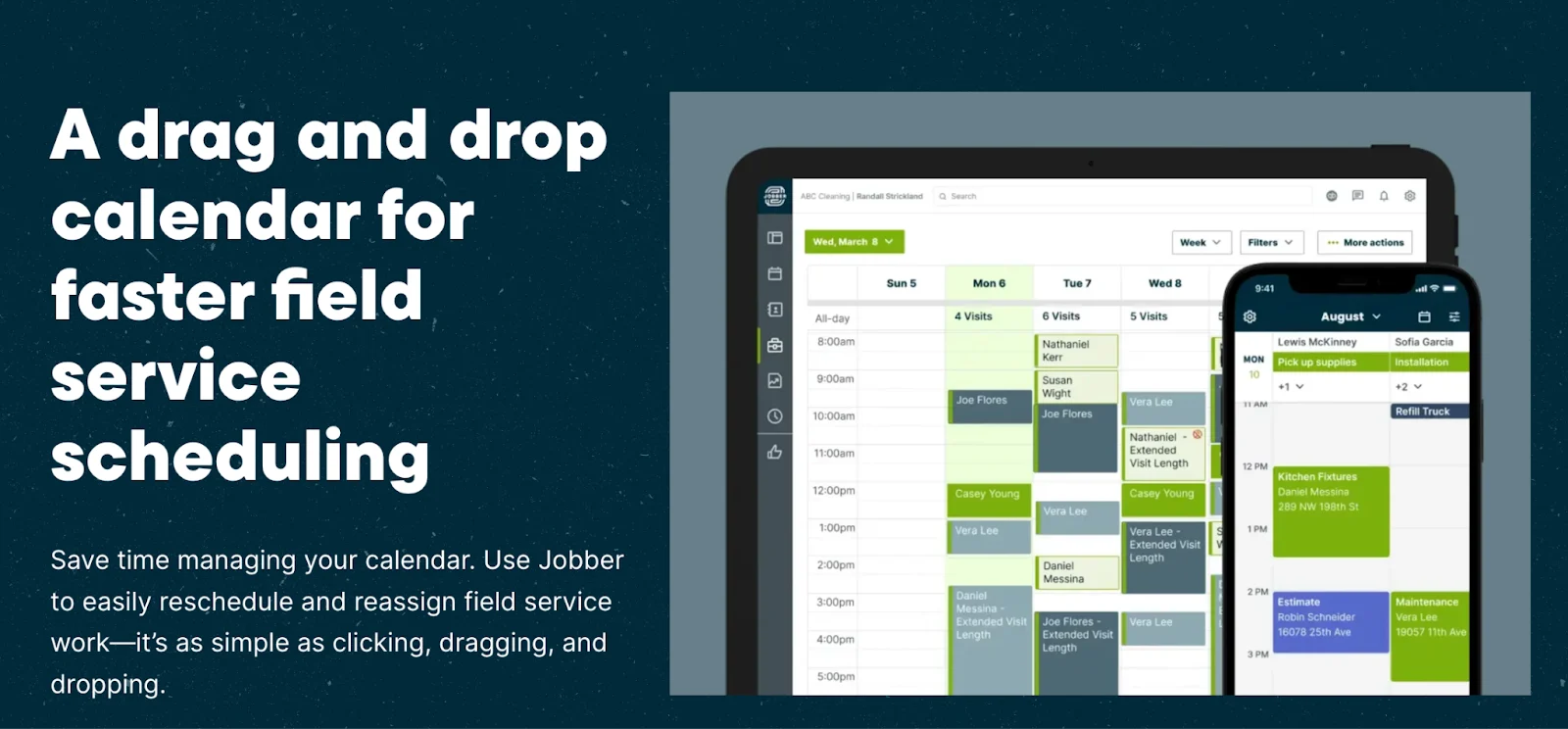
Fig: Jobbers Quick and smooth integration
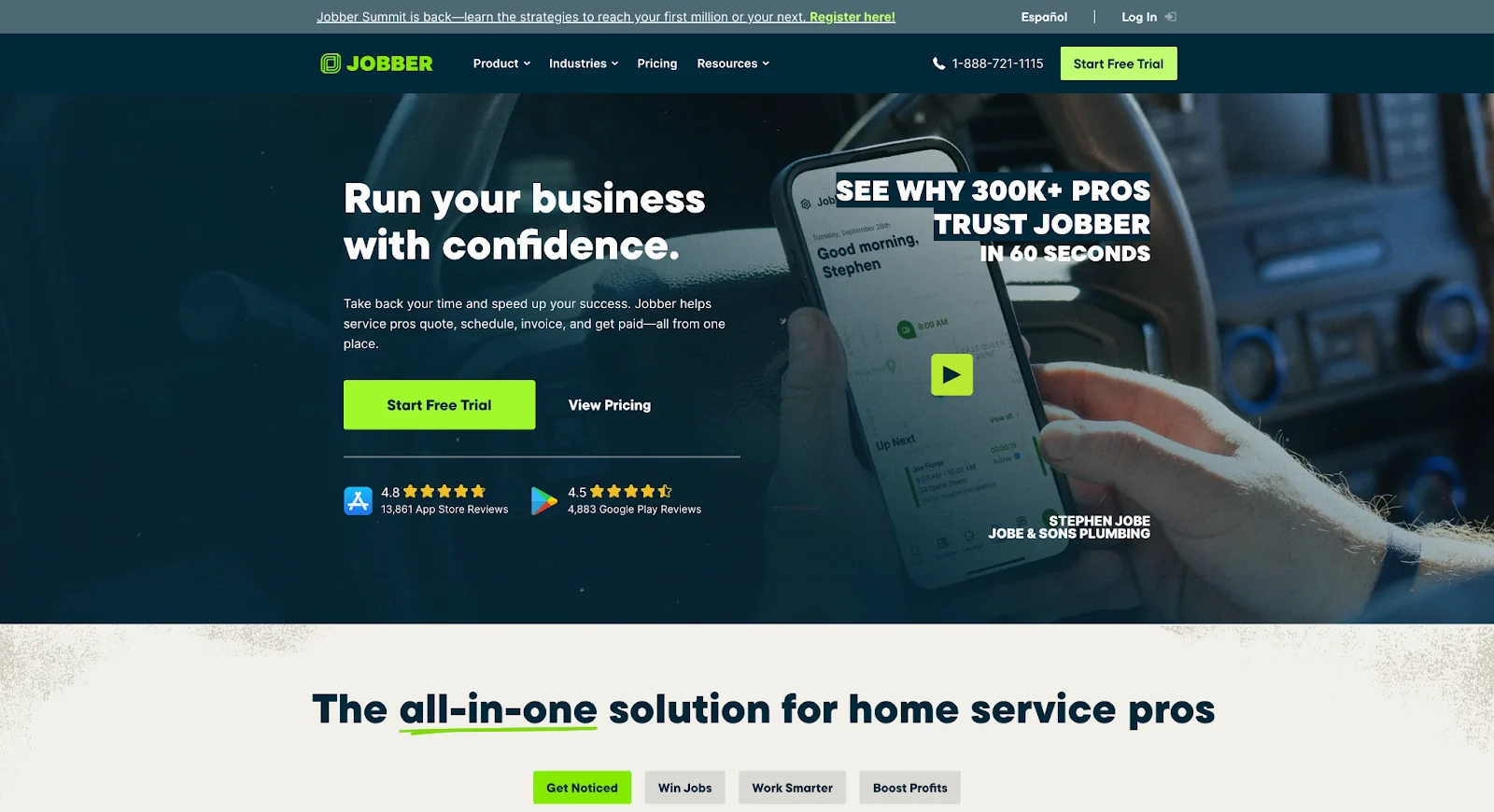
Jobber is ideal for owners who want to get up and running fast with minimal setup. Its clean, intuitive interface makes scheduling, quoting, and invoicing easy to use from day one. Most businesses can start sending quotes and managing jobs within hours, not weeks. By focusing on essential features instead of complex workflows, Jobber keeps the learning curve low. For small service businesses that value speed and simplicity, Jobber delivers quick, practical results.
Best pick for cost control and plan flexibility
Zoho FSM
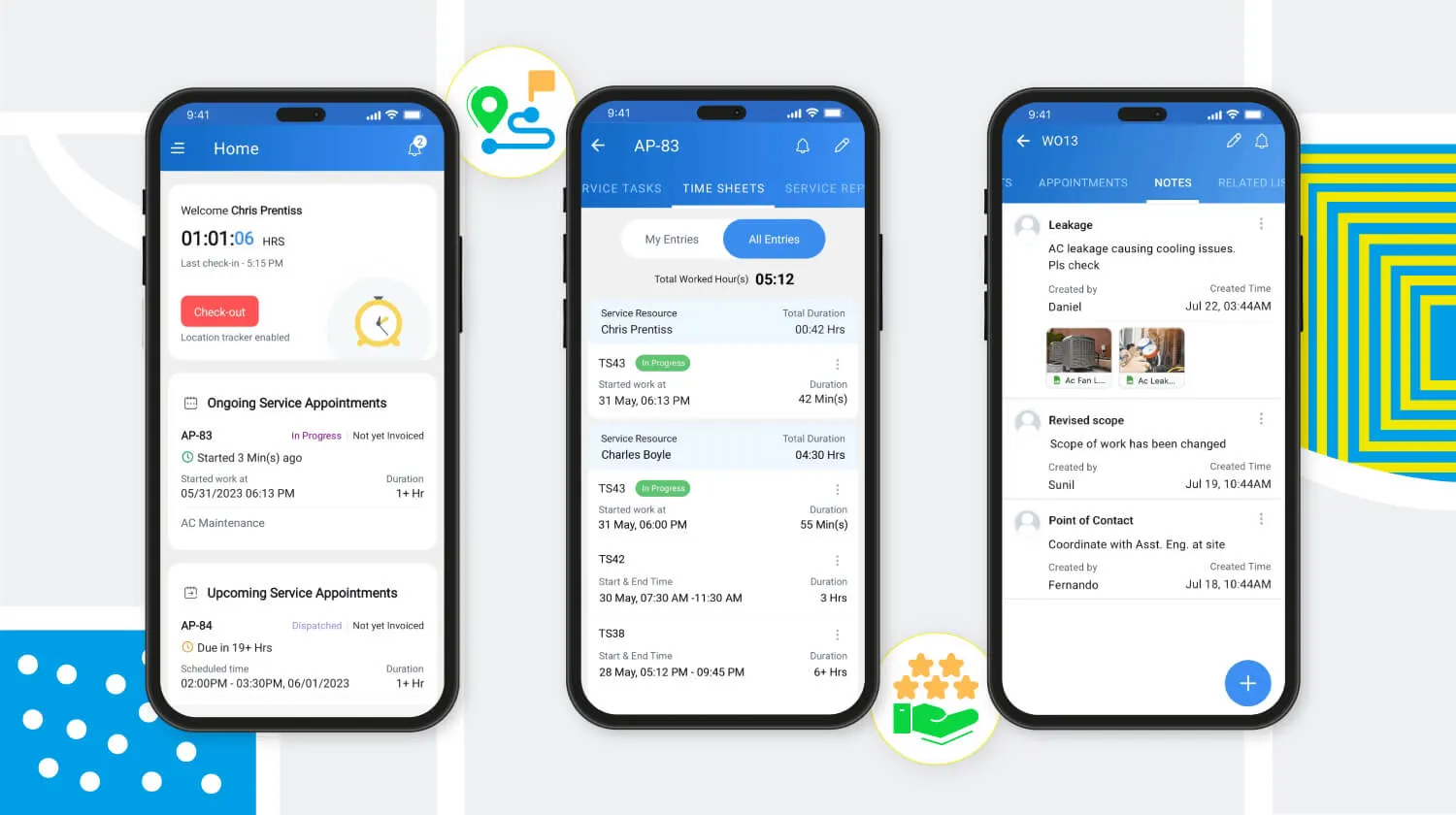
Fig: Effortless collaboration on the go with Zoho FSM
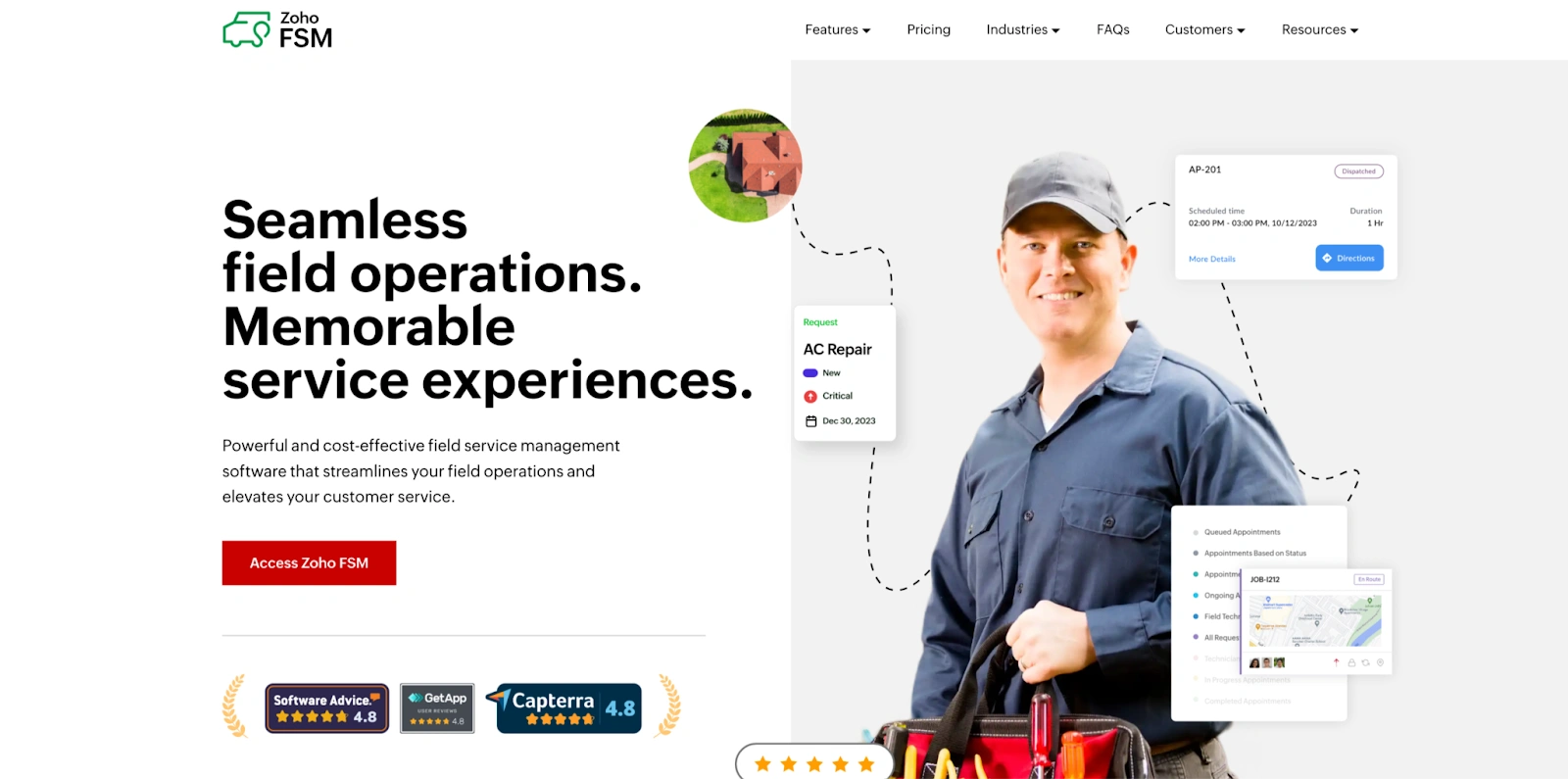
Zoho FSM is a strong fit for teams that want tighter structure and better cost control as job volume grows. Its flexible pricing plans make it easier to scale without overpaying for features you don’t need. For businesses already using Zoho tools, setup is smoother and data stays connected across operations. Zoho FSM offers solid customization without forcing enterprise level costs. It’s a practical choice for teams focused on budget discipline and long term flexibility.
Best pick for home service workflows
Housecall Pro
Fig: Quick small job scheduling with Housecall Pro
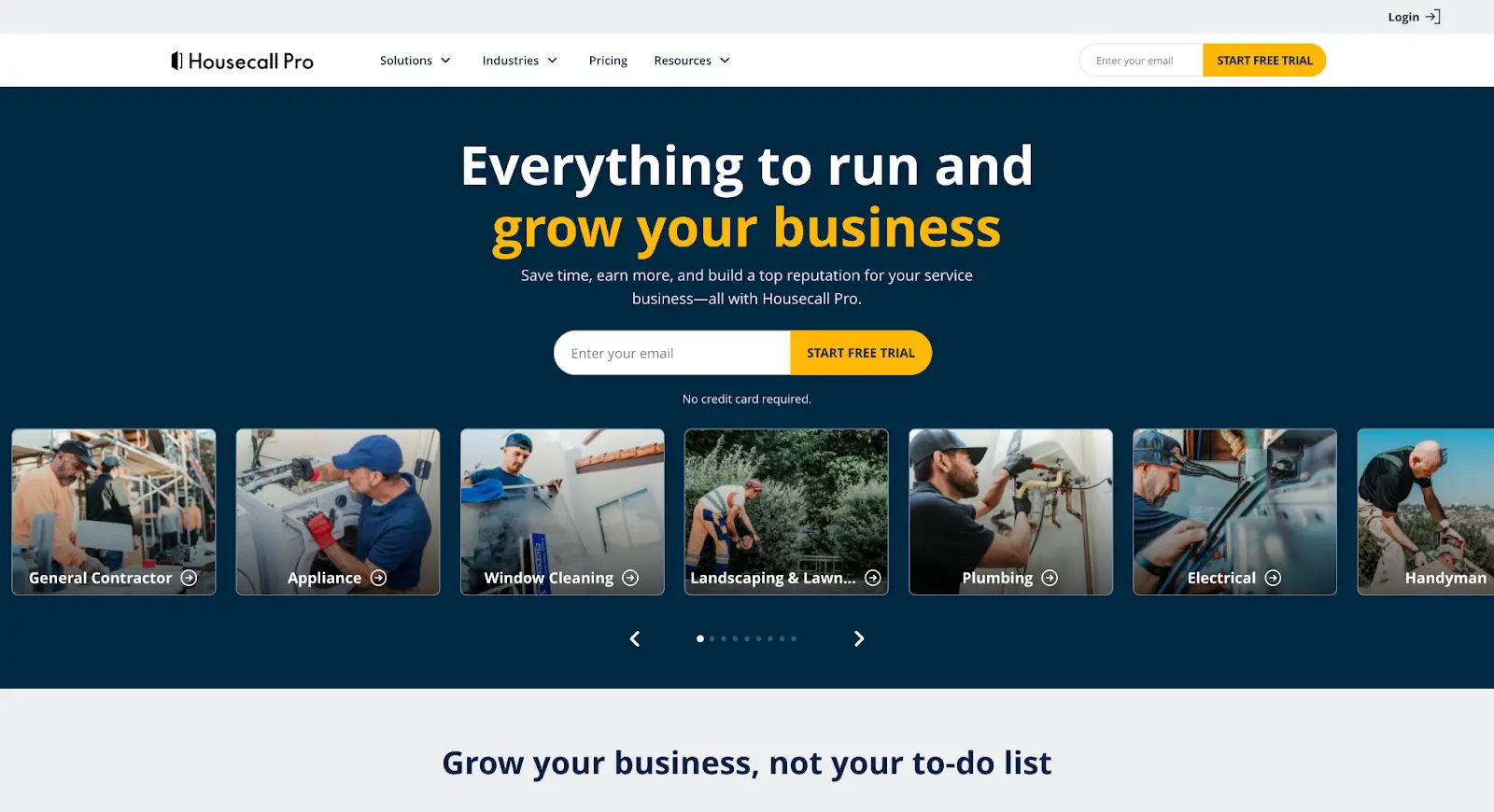
Housecall Pro is built for plumbing, HVAC, and electrical businesses that run on fast, repeatable home service call workflows. It handles instant online booking, real time dispatching, automated estimates, invoices, and payment collection. Built in customer communication tools reduce no shows and boost repeat business without extra effort. Technicians can add line items and recommend maintenance plans on site without calling the office, and the platform automates review requests after every completed job.
How we compared these Field Service Management Softwares for Small Business
What small teams actually need
After years of working with service companies, these five areas decide whether field service management software for small business helps or hurts.
Scheduling: Can jobs be planned, moved, and viewed clearly without confusion?
Dispatch: Can the office see technician availability without making phone calls?
Invoices + payments: Can invoices be sent from the field and paid without delay?
Mobile use: Do technicians actually update jobs on site?
Reporting: Small businesses need daily reporting that helps daily work
What we weighed lightly
We placed less value on:
Advanced dashboards rarely used by small teams
Features designed for companies with 100+ technicians
Complex automation that slows setup
For most teams, simple field service software for small business beats complex systems every time.
A Glance on Field Service Management Softwares for Small Business
Feature
Zoho FSM
Jobber
Housecall Pro
Best for
Structured workflows, growing teams
Simple daily service jobs
Home service call businesses
Setup time
1 to 3 weeks (requires configuration)
Same day to 2 to 3 days
3 to 7 days
Scheduling
Strong (dispatch console, Gantt views)
Clean drag and drop
Strong for service calls
Mobile app
Solid
Smooth but test quoting reliability
Strong in connected areas
Offline mode
Basic caching
Limited (no offline capability)
Limited (incomplete caching)
Invoicing flow
Good (tied to work order lifecycle)
Very clean
Good (price book driven)
Payments
Integrated via Zoho Books
Strong
Built for field (review hold policies)
Job costing
Included (Standard+)
Grow tier only ($199+/mo)
Included (Basic+)
QuickBooks sync
Via Zoho Books
Connect tier+ ($119+/mo)
Essentials tier+ ($149+/mo)
Automation
Deep (Deluge scripting, workflow rules)
Limited (third party tools needed)
Pre built automations only
API access
Full REST API, webhooks
REST API (higher tiers)
Limited API
Data export
CSV, API extraction, Zoho ecosystem
CSV export, limited API
CSV export, contact support for full data
Service call workflows
Strong
Strong
Strong
Installation/project workflows
Configurable with setup effort
Not supported
Not supported
Emergency dispatch
Manual priority override
Manual reassignment
Manual reassignment
Typical team fit
3 to 50+
1 to 10
2 to 12
Scales well to
50+ technicians
~12 to 15 before reporting limits
~12 before workflow limits
Best with existing
Zoho ecosystem
Standalone or light integrations
Standalone home service
Zoho FSM as a Field Service Management Software for Small Business in 2026
Who it fits
Zoho FSM has matured into one of the most technically complete and operationally rigorous field service management platforms available in 2026. It supports low code configuration and is designed for service organizations that are moving beyond basic scheduling tools and need a system that can enforce process consistency, connect departments, and scale with business growth.
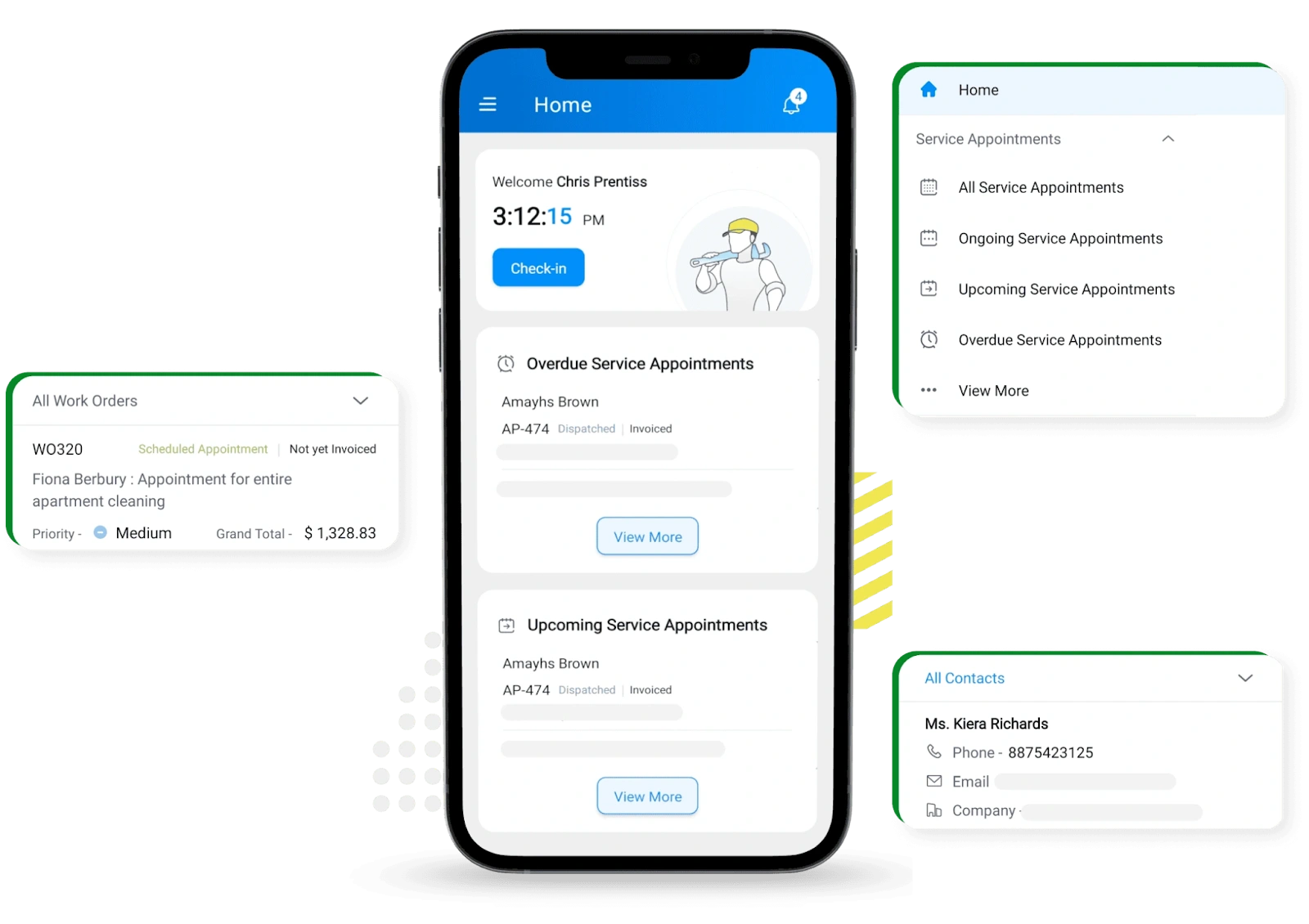
Fig: Zoho FSM Workorder Management
At its core, Zoho FSM is a workflow orchestration platform. Every service activity is structured around a clearly defined lifecycle, where service requests convert into work orders, flow through scheduling and dispatch, move into technician execution, and close through invoicing and payment. This end to end traceability creates a single source of truth across operations, finance, and customer management. For growing service teams, this level of process discipline significantly reduces operational leakage, improves accountability, and enables performance analysis at a granular level.
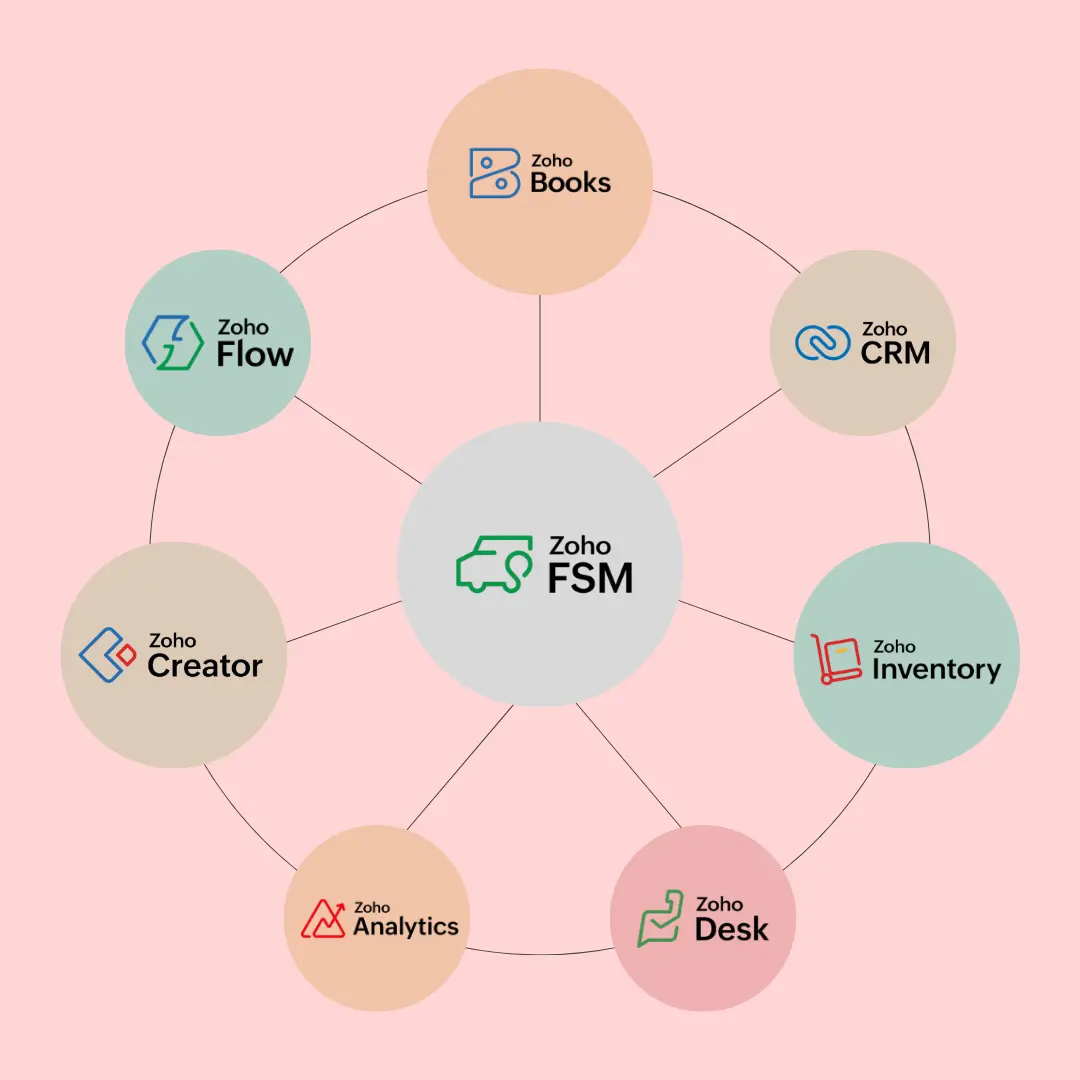
Fig: FSM Integration With 15+ Zoho Apps
Zoho FSM deeply integrates with the wider Zoho ecosystem. When connected to Zoho CRM, Books, Inventory, Desk, and Analytics, the platform becomes a central operational hub. Customer data, asset histories, service contracts, parts usage, and billing records are all linked in real time. This eliminates data silos and manual reconciliation, allowing service, sales, finance, and support teams to work from the same system. Managers gain real time operational visibility across the entire service lifecycle.
From a technical standpoint, Zoho FSM is built for structured environments that require standardization and control. Work orders are highly configurable, allowing businesses to define job types, service categories, mandatory fields, service level rules, and custom statuses. Automation rules can be layered on top of these workflows to trigger notifications, task assignments, escalations, or billing events based on conditions. With Zoho’s low code tools and Deluge scripting, businesses can implement business logic that mirrors real world operations, making the platform adaptable to complex service models rather than forcing teams into generic templates.
The dispatch and scheduling engine is another core strength. Instead of simple list based scheduling, Zoho FSM provides a visual dispatch console with calendar and Gantt style views. Dispatchers can see technician availability, job durations, service locations, and workload distribution in one screen. This makes it easier to balance field resources, reduce idle time, and avoid overbooking. As jobs move through different statuses in the field, updates flow back into the system in real time, giving office teams a live view of what is happening on the ground.
Fig: Zoho FSM Dispatch Console
For field technicians, the mobile experience plays a critical role in maintaining data accuracy and operational transparency. Through the mobile app, technicians can update job statuses, log labor hours, capture photos, attach documents, complete checklists, and collect customer signatures. This removes the need for post job paperwork and ensures that all service details are recorded while the work is being performed. Over time, this creates a rich historical record that supports audits, service quality improvements, and customer dispute resolution.
Zoho FSM also supports performance tracking and operational analytics. Because every step of the service process is recorded, managers can analyze technician productivity, response times, job completion rates, asset performance, and revenue per job. When connected to Zoho Analytics, this data can be transformed into dashboards that reveal trends, bottlenecks, and growth opportunities. Instead of managing by instinct, leadership teams can make data driven decisions grounded in real service activity.
However, the feature rich platform can also feel heavy for smaller teams. The platform requires thoughtful configuration to align with business workflows. Zoho FSM is best suited for teams that view field service as a core operational function rather than an informal extension of sales.
Watch outs
Configuration requires dedicated time and, often, technical resources. Zoho FSM is not a same day deployment. Setting up work order templates, user roles, permissions, automation rules, and integrations typically takes one to three weeks for a team of five to ten technicians, and longer for organizations migrating from legacy systems. The platform documentation covers core functionality, but certain features, such as partial completion workflows and scheduling nuances, can be difficult to discover without guided onboarding. Teams without an internal admin or implementation partner should factor setup effort into their decision.
Customization creates long term maintenance obligations. One of Zoho FSM’s advantages is deep configurability through Deluge scripting and workflow automation. The risk is over engineering. Businesses that build heavily customized workflows in the first six months often find themselves managing technical debt by month eighteen, automations that conflict, custom fields that complicate reporting, and scripted logic that only one person understands. Treat customization as infrastructure. Plan it, document it, and keep it as lean as possible.
Feature discoverability is uneven. Several capabilities that exist in the platform are not immediately visible in the default interface. Users on community forums report difficulty finding options for scheduling without line items, handling partial job completion, and configuring conditional automation triggers. This is not a missing feature problem. It is a UI/UX discoverability problem that increases reliance on Zoho support or community forums during onboarding.
Pick Zoho FSM if:
You need structured, repeatable workflows with defined statuses, approvals, and documentation. This is especially relevant for businesses handling recurring maintenance contracts, regulated services, or multi day jobs where traceability matters.
You are willing to invest in upfront configuration for long term operational control. Teams that treat the setup phase seriously, either with an internal admin or an implementation partner, get substantially more value from the platform.
You already operate within the Zoho ecosystem. Integration with Zoho CRM, Books, Inventory, and Desk creates a connected data layer that reduces manual reconciliation across departments.
You plan to grow beyond ten technicians. The per user pricing model and workflow enforcement become increasingly valuable as team size and operational complexity increase.
Skip Zoho FSM if:
You need to be dispatching jobs within 48 hours of signing up. The initial configuration period is real, and rushing it leads to rework.
Your work is simple, short, and rarely repeated. If most jobs take under an hour and follow no particular sequence, the structured workflow model will feel like overhead.
You do not have anyone on your team who can own system configuration. Without a dedicated admin or external support, the platform’s depth becomes a liability rather than an advantage.
Jobber as a Field Service Management Software for Small Business in 2026
Who it fits
In 2026, Jobber remains one of the most widely adopted field service management platforms for small and growing service businesses that need an uncomplicated, reliable system to run daily operations. Jobber’s design philosophy emphasizes speed, simplicity, and ease of adoption, enabling business owners to go from signup to productivity in a matter of days rather than weeks. Across hundreds of user reviews, the platform consistently earns high satisfaction scores for its intuitive scheduling, unified job management, and streamlined invoicing process.
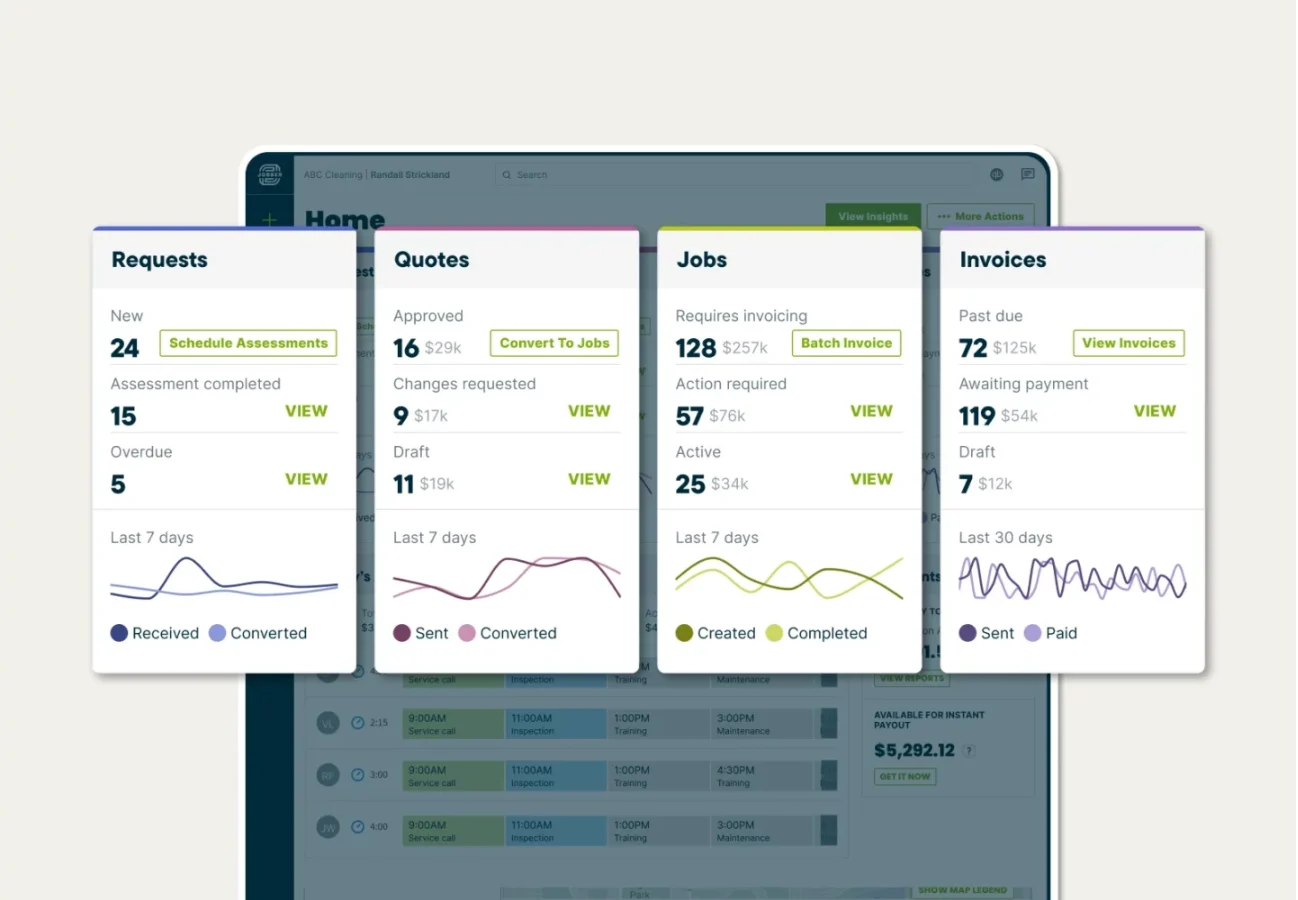
Fig: Jobber’s workflow management for field ops
At its best, Jobber transforms the chaotic cycle of client requests, job assignments, on site execution, and billing into a smooth, repeatable workflow that keeps teams focused on service delivery rather than administrative overhead. From the moment a service request is entered to when payment is captured, the experience is designed to be clear and efficient, with automated reminders and client communication tools built in so nothing falls through the cracks. This ease of use is a central reason small businesses rely on Jobber to bring operational structure without complexity.
Jobber’s core flow is deceptively simple, but it’s precisely that simplicity that gives it strength. New users often remark on how easy it is to create professional quotes, assign jobs to crews, and convert completed work into invoices that clients can pay online. Users also note that this visibility from lead to invoice reduces errors and administrative friction that would otherwise eat up time and profitability. The platform’s UI is designed so that most features are discoverable without deep training, making it accessible even to teams with limited technical experience.
Fig: Easy planning with Jobber scheduler
Jobber’s scheduler serves as the operational heartbeat of the platform. It provides at a glance visibility into technician availability and upcoming work, reducing scheduling errors and enabling office teams to make rapid adjustments when emergencies or cancellations occur. These kinds of real time adjustments are especially appreciated by businesses juggling crews across multiple jobs every day. Overall user satisfaction remains “excellent” on aggregated review sites, with around 91% of users recommending Jobber to others.
Watch outs
Mobile app reliability affects field data integrity. Multiple user reports describe the Jobber mobile app freezing during quote creation, resulting in lost work. Technicians also report that viewing full job details on mobile requires drilling through multiple screens rather than displaying context in a single view. For teams that depend on field generated quotes and real time job updates, these are not minor inconveniences. Test the mobile workflow with your actual job types during the trial period before committing.
Job costing is locked behind the Grow tier ($199/month). This is a significant architectural decision. Profitability analysis, one of the most operationally important capabilities for a growing service business, is unavailable on the Core ($39) or Connect ($119) plans. Businesses that start on a lower tier expecting to “use what they need” may find they cannot answer basic margin questions without upgrading.
Invoice workflow complexity increases with job state changes. Users report that reopening completed jobs to send or modify invoices requires navigating the job state back through multiple statuses. This workflow friction is minor at low job volumes but becomes a consistent administrative drain as daily job counts increase.
Reporting breaks down at scale. Jobber’s built in reporting is adequate for teams under ten technicians running straightforward job types. Beyond that threshold, users consistently report that reports are not customizable enough to support complex profit analysis, lead conversion tracking, or multi crew productivity comparison. Teams that need deeper analytics will likely require external BI tools or manual export workflows.
Add on and per user costs compound quickly. The base plan price is the entry point, not the operating cost. Marketing Suite, route optimization, and automation features carry separate charges. Additional users cost $29/month each. A five person team on the Connect plan with common add ons can reach $300 to $400 per month.
Customer support experience is inconsistent. User reviews are split. Many report responsive, helpful onboarding support. Others describe long wait times and difficulty reaching agents, particularly outside North American business hours.
Pick Jobber if:
Speed of adoption matters more than process enforcement. Jobber works well for teams that want to schedule, complete, and invoice jobs with minimal overhead. Most businesses can be operational within a day.
Your jobs are short, frequent, and follow a simple linear flow. Lawn care, cleaning, pest control, and similar repeatable service calls are Jobber’s sweet spot.
Your team experiences frequent staff turnover. The low learning curve means new technicians can start using the system productively within hours.
You are a solo operator or team of five or fewer. The Core and Connect plans deliver strong value at this scale.
Skip Jobber if:
You need detailed job costing or profitability analysis on a lower tier plan. This capability is reserved for Grow ($199/mo) and above.
You expect to manage more than 12 to 15 technicians. Reporting and operational visibility limitations become material at this team size.
Your work requires complex, multi stage workflows with branching logic, approvals, or detailed documentation at each step.
Your technicians generate quotes and proposals primarily from mobile. Test the mobile quoting workflow thoroughly during your trial.
Housecall Pro as a Field Service Management Software for Small Business in 2026
Who it fits
By 2025, Housecall Pro had established itself as one of the most commercially focused field service platforms for high volume home service businesses. The platform is designed to optimize the entire customer lifecycle, not just internal operations. Its strength lies in blending scheduling, dispatch, estimating, invoicing, payments, and customer engagement into one fast, highly automated system that is tailored for trades such as plumbing, HVAC repair, electrical troubleshooting, cleaning, and similar on site service businesses.
Where Housecall Pro truly differentiates itself is in how deliberately the platform is structured around speed, customer experience, and revenue growth. The system actively helps businesses book more work, reduce no shows, increase ticket sizes, and build long term customer relationships. Automated appointment reminders, “on the way” texts, digital invoices, and follow up review requests keep the business visible to customers even after the technician leaves. This ongoing engagement loop is one of the platform’s biggest advantages for local service businesses that depend on trust, reputation, and referrals to grow.
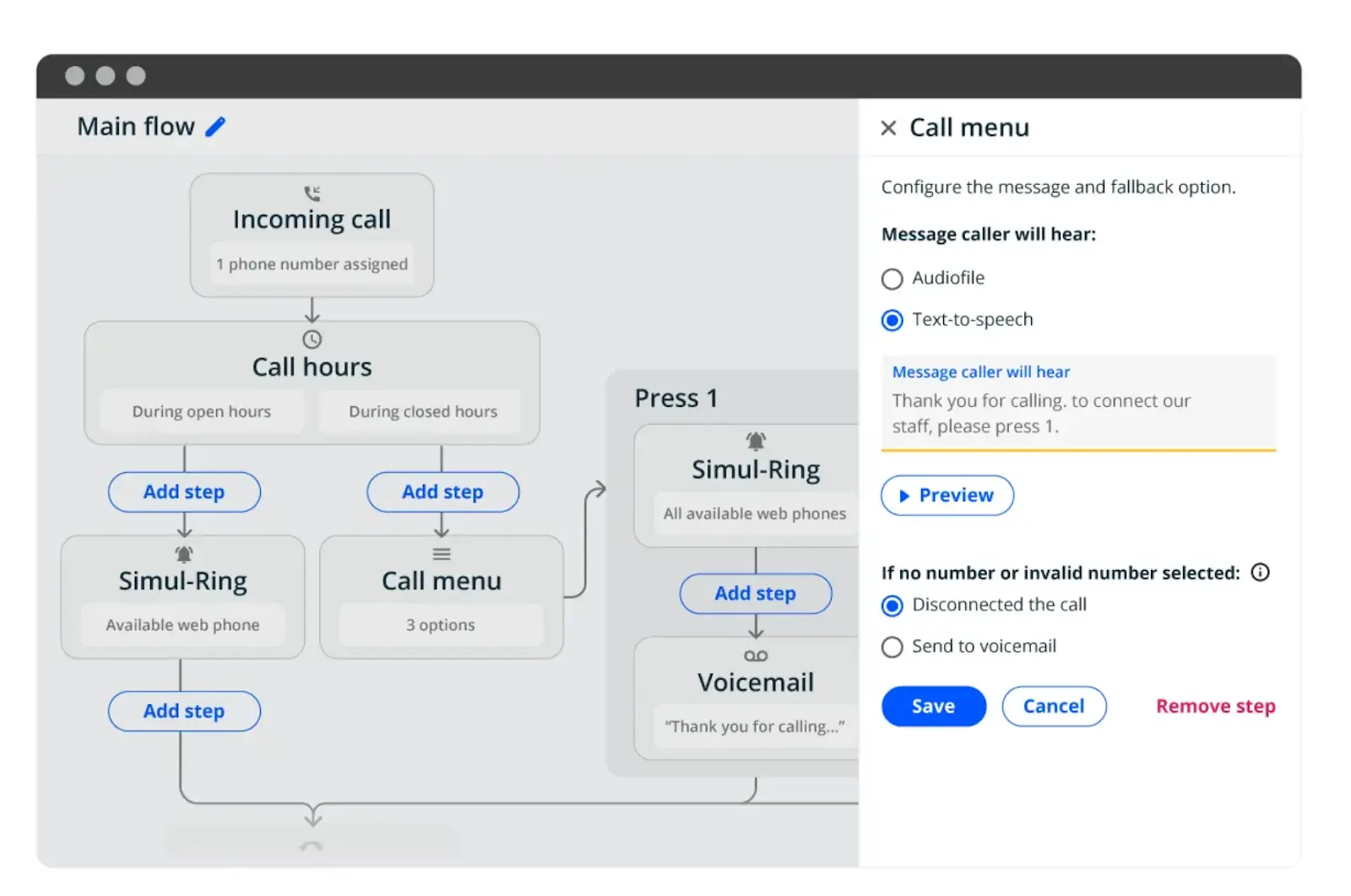
Fig: Custom Workflows with Housecall Pro
Housecall Pro follows a straightforward but powerful service flow. Each step flows naturally into the next, minimizing the need for office staff to chase updates, send reminders, or manually request feedback. What makes this workflow especially effective is the way it extends beyond job completion. Instead of ending at payment, the system continues in the background, sending review requests and follow up messages to keep the brand top of mind. Over time, this creates a steady cycle of repeat bookings and positive online reviews.
It’s intentionally built to help technicians move quickly while still maximizing revenue per visit. One of the most impactful tools is its price book style service catalog. Businesses can predefine services, materials, and labor pricing, allowing technicians to select items on site instead of manually entering line by line charges. This speeds up invoice creation and improves pricing consistency and transparency for customers.
Because pricing is standardized, technicians can confidently recommend additional services or maintenance options without needing to call the office for approval. When combined with built in financing, membership plans, and service packages, the platform gives field teams the tools to increase average ticket size during every visit.
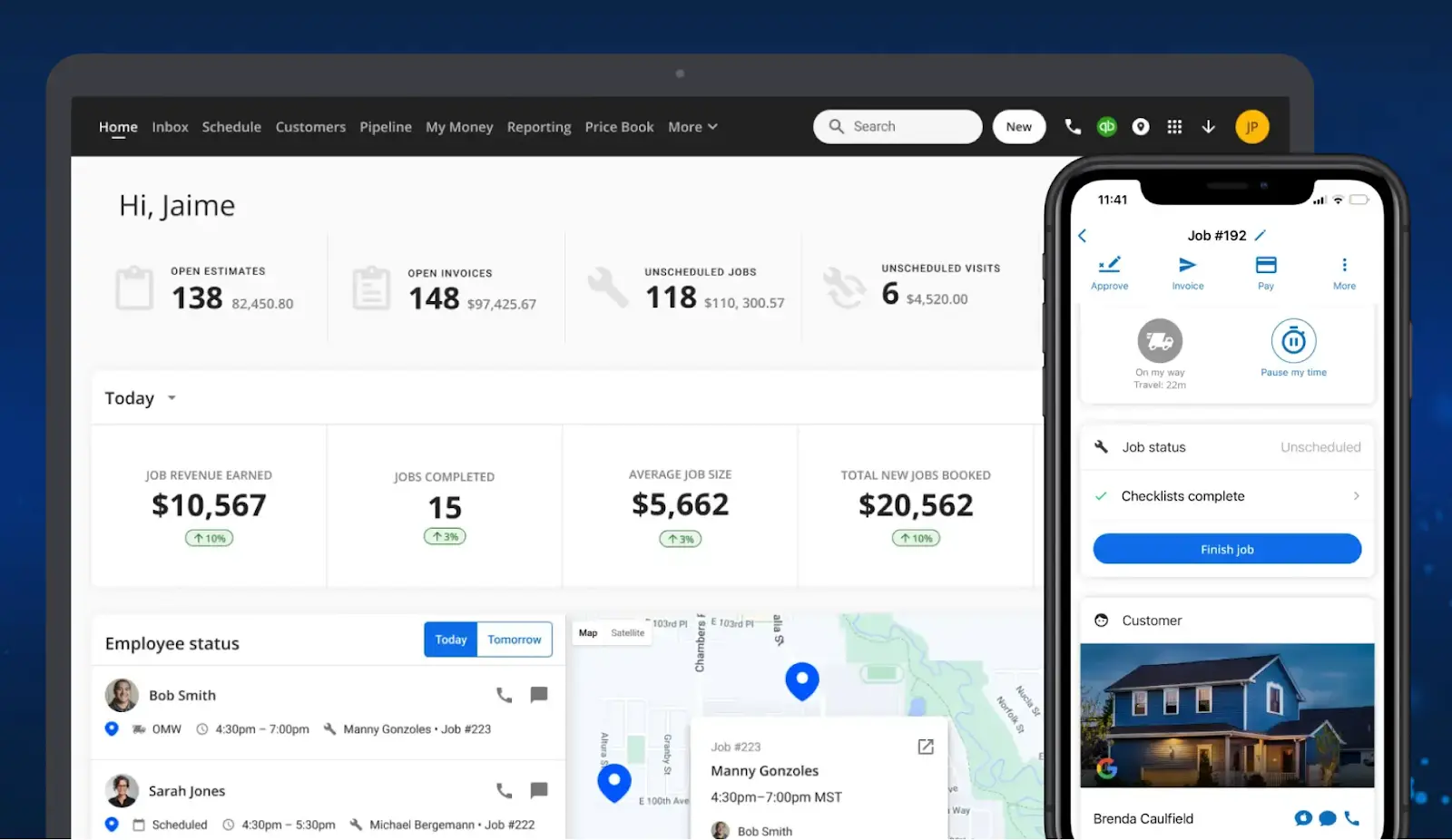
Fig: Housecall Pro’s detailed dashboard
The dashboard gives business owners and managers a real time view of what is happening across the operation. Jobs, revenue, technician performance, outstanding invoices, and upcoming schedules are all visible in one place.
The scheduling and dispatch system supports fast adjustments when jobs change or emergencies come in. Technicians receive updates instantly, and customers stay informed through automated messages.
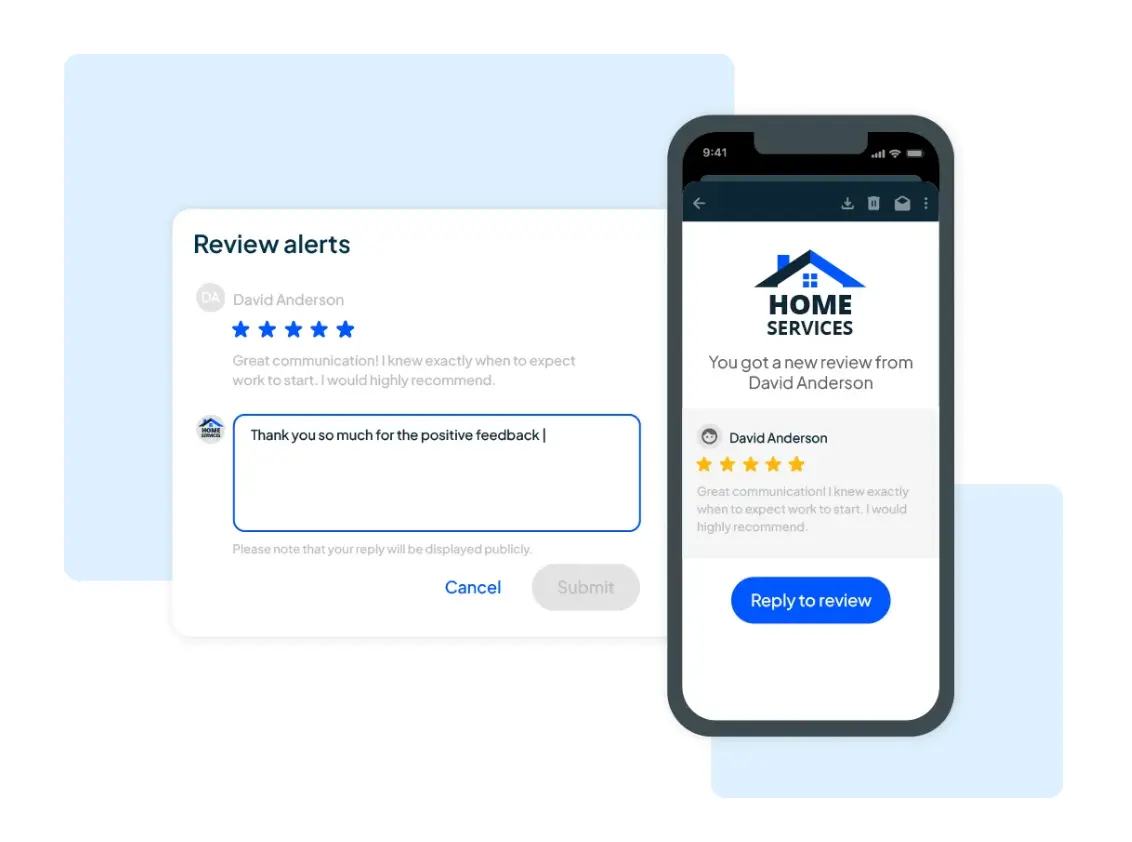
Easy customer review collection with HouseCall Pro
Housecall Pro makes it easy to automatically request customer reviews once a job is completed. These requests can be sent via text or email, reducing the need for manual follow ups. For home service providers, reviews directly impact booking decisions and local search visibility.
Businesses can easily predefine services and pricing. Technicians can quickly select items instead of manually entering costs on site. This speeds up invoice creation and improves transparency for customers.
Watch outs
Architecturally designed for service calls, not installation or project work. This is the most important technical limitation to understand. Housecall Pro’s workflow model is built around single visit or short duration service transactions like arrive, diagnose, fix, invoice, collect payment. It does not support change order management, deposit and progress billing, project phase tracking, milestone based invoicing, or multi stage approval workflows. Contractors, remodelers, and businesses that handle installation work alongside service calls will find critical workflow gaps that cannot be patched with workarounds.
Payment processing architecture carries account risk. Multiple users report payment account holds, in some cases exceeding $1,600, triggered by the platform’s payment gateway flagging logic. Additionally, when fraud disputes occur, the system may refund the customer but not return funds to the contractor, creating a reconciliation gap.
Offline functionality is limited. Technicians working in basements, rural areas, or buildings with poor connectivity will encounter incomplete data caching. Job details, pricing information, and form submissions may not be available or saveable when the device is offline.
Tier pricing escalates with add ons. The Basic plan ($79/month) provides core scheduling and invoicing, but QuickBooks integration requires the Essentials plan ($189/month). The flat rate price book powered by Profit Rhino adds $149/month. Vehicle GPS tracking costs $20 per vehicle per month. A five technician team with common addons can exceed $400/month.
Customer support has shifted toward AI first interaction. As of late 2025, multiple users report that reaching a human support agent requires navigating through AI chat first, with some reporting three plus hour chat sessions being transferred between representatives.
Pick Housecall Pro if:
You run a service call focused home service business such as plumbing, HVAC repair, electrical troubleshooting, cleaning, or similar trades where jobs are completed in a single visit or short window.
Online reviews and repeat bookings are primary growth drivers for your business.
You want prebuilt pricing standardization. The price book approach allows technicians to select services and materials on site.
Your team operates primarily in areas with reliable cellular connectivity.
Skip Housecall Pro if:
Your business handles installation work, multi day projects, or jobs that require change orders, deposit collection, or milestone billing.
You process high value transactions and need predictable payment processing without account hold risk.
Your technicians frequently work in low connectivity environments.
You want QuickBooks integration on the entry level plan. That requires the Essentials tier ($149/month annual, $189/month monthly).
Access Real small business scenarios to choose best compatible Field Service Management Software for Small Business
If you need for 10 to 20 jobs per day
For businesses handling 10 to 20 jobs daily, efficiency matters more than advanced features. Jobber works well if speed and ease of use are priorities, while Zoho FSM suits teams that want structured tracking. The right choice depends on whether your operations favor quick execution or defined workflows.
If your requirement is for Higher ticket jobs with estimates
Businesses handling higher value jobs often need detailed estimates, approvals, and clear job documentation. Zoho FSM supports this well by tying estimates to work orders and invoices. This structure reduces pricing errors and improves customer confidence, making it a strong fit for complex or multi day service jobs.
If you are planning Team expansion in 2026
When planning team growth, software decisions should focus on scalability rather than current needs. Costs rise with users, training time increases, and visibility becomes critical for managers. Tools that balance pricing, onboarding effort, and operational clarity tend to perform better than feature heavy platforms during expansion.
If your team need clean reporting
Teams that rely on reporting often benefit more from clean, consistent job statuses than complex dashboards. Simple metrics like job completion, delays, and technician utilization are easier to trust and act on. Overly detailed dashboards can slow decision making instead of improving it.
If you have existing accounting tools
If you already use accounting software, integration quality should be tested early. Even advertised integrations can behave differently in real workflows. Sync issues between invoices, payments, or customer records can create manual work, so always validate compatibility before switching field service software for small businesses.
Which Field Service Management Software fits which trade
Field service management software is not equally suited to every trade. The workflow requirements for a plumbing repair business differ materially from those of an HVAC installation company or an electrical contractor handling permit driven work. Here’s how each platform maps to the most common trade patterns.
Field Service Management Software for HVAC – service, maintenance, and emergency dispatch
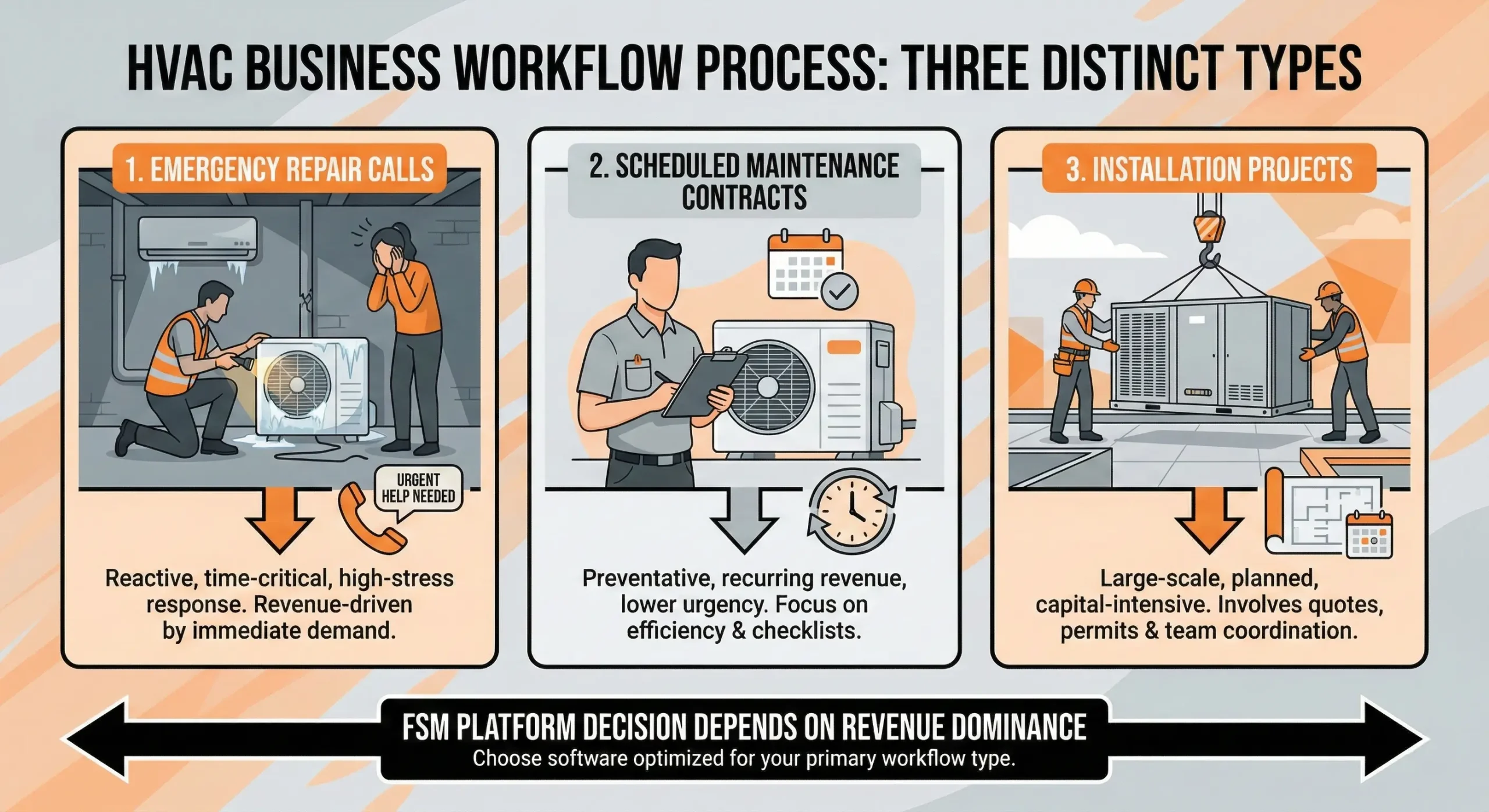
Fig – HVAC businesses juggle three distinct balls, Emergency Repairs, Scheduled Maintenance, and Installations
HVAC businesses typically run three distinct workflow types, emergency repair calls, scheduled maintenance contracts, and installation projects. The platform decision depends on which of these dominates your revenue.
For teams focused on repair and maintenance, Housecall Pro handles the dispatching speed and customer communication loop well. Automated reminders for seasonal tune ups, fast dispatch reassignment when an emergency call comes in, and on site price book access for common parts and repairs all align with how HVAC service teams work.
Zoho FSM is the stronger option for HVAC businesses that manage recurring service contracts, track equipment by customer location, or need service history tied to specific units. Its asset management capabilities allow teams to record service history per piece of equipment, track warranty status, and schedule preventive maintenance automatically. For businesses that handle both service and installation, Zoho FSM’s configurable workflows can model multi day projects alongside same day repair calls, though this requires deliberate setup.
Jobber handles simple HVAC service calls well but lacks the asset tracking and contract management features that maintenance heavy operations depend on. Emergency dispatch on all three platforms is a manual reassignment process. None offer algorithmic bump scheduling that automatically reprioritizes existing jobs when an emergency call arrives.
Field Service Management Software for Plumbing and electrical – permits, inspections, and multi visit jobs
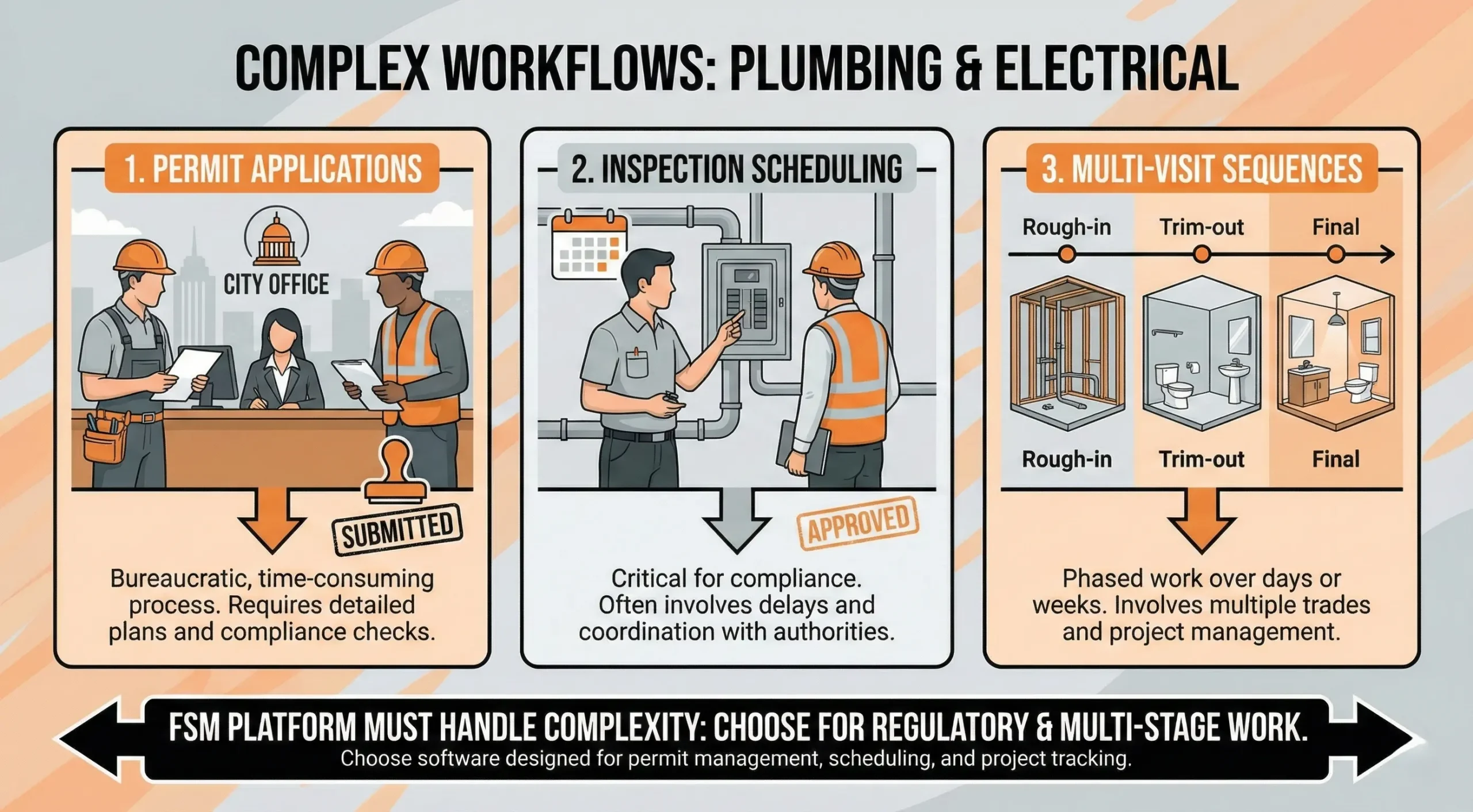
Fig – Plumbing and Electrical work, a “job” is rarely just one trip
Plumbing and electrical work frequently involves permit applications, inspection scheduling, and multi visit job sequences. These requirements create workflow complexity that not every platform handles.
Housecall Pro’s service call transaction model works for single visit diagnostic and repair work. It does not support the multi stage workflow that permit driven jobs require initial assessment, permit filing, scheduled inspection, return visit for completion, and final sign off. Businesses that handle both quick repairs and permitted work will find themselves managing the permitted jobs outside the platform.
Zoho FSM can model permit and inspection workflows through its configurable work order statuses and custom fields. A work order can move through stages like “Permit Filed,” “Awaiting Inspection,” “Inspection Passed,” and “Completion Scheduled,” with notifications triggered at each transition. This requires upfront configuration but provides a documented trail that supports compliance and audit requirements.
Jobber’s linear job model does not natively support branching workflows or conditional stages. Simple plumbing and electrical service calls work fine. Jobs that split into multiple phases or require documentation at each stage will need manual tracking outside the platform.
Field Service Management Software for Installation vs. service and the architecture divide
The most consequential workflow gap across all three platforms is the divide between service call businesses and installation or project businesses.
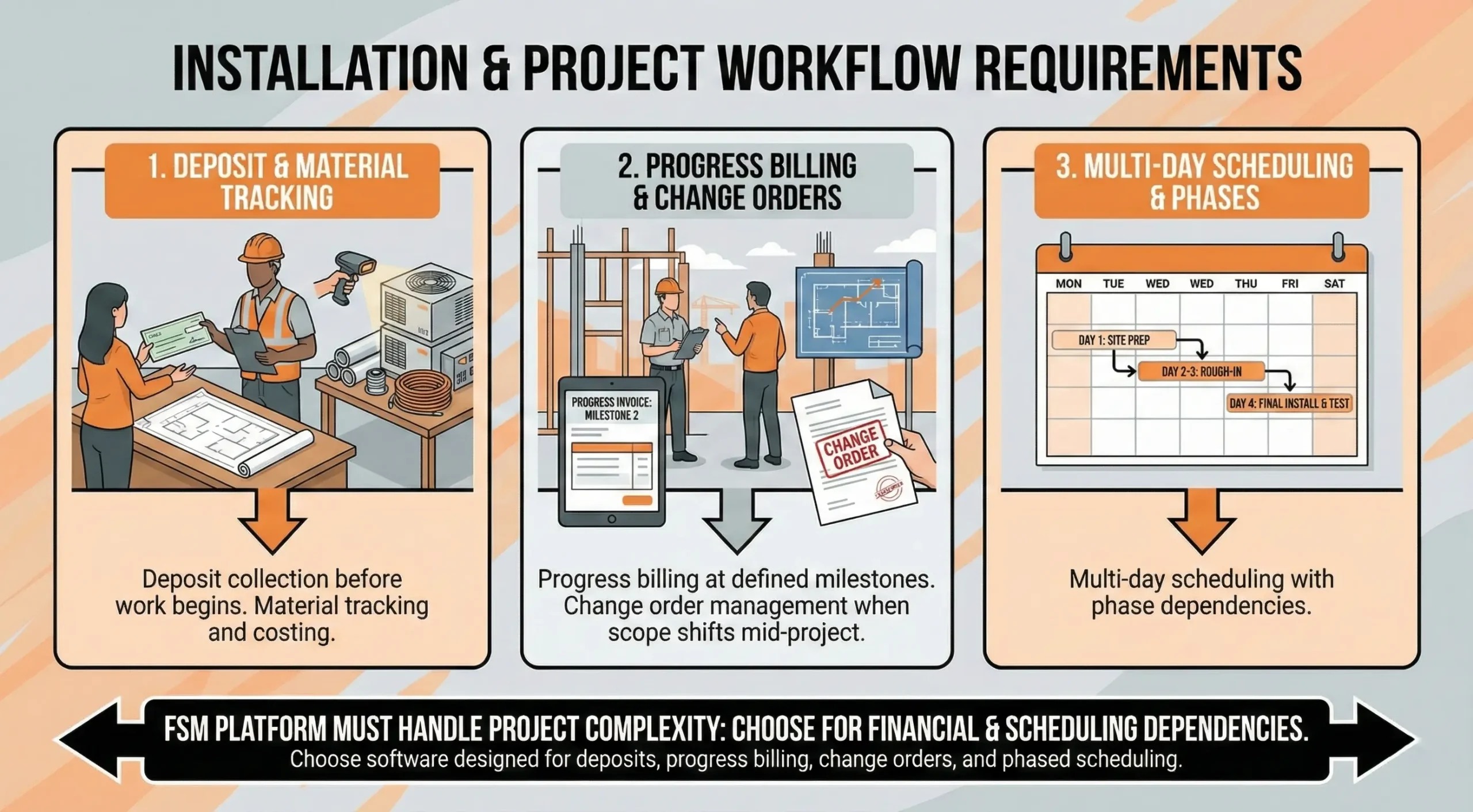
Fig – Installation & Project Workflow with Zoho FSM, Jobber and HousecallPro
Service calls follow a predictable pattern, request, schedule, dispatch, execute, invoice, collect. All three platforms handle this well.
Installation and project work introduces requirements that fundamentally change the workflow model. Deposit collection before work begins, progress billing at defined milestones, change order management when scope shifts mid project, material tracking and costing, and multi day scheduling with phase dependencies.
Housecall Pro does not support any of these capabilities. Jobber does not support them natively. Zoho FSM can be configured to handle some of them through custom statuses, Deluge scripting, and integration with Zoho Books for milestone invoicing, but it requires significant setup effort and is not a turnkey project management solution.
Businesses that derive meaningful revenue from both service and installation work should evaluate whether a single platform can serve both, or whether a dedicated project management tool alongside the FSM is the more practical architecture.
Field Service Management Software for Recurring service contracts and preventive maintenance
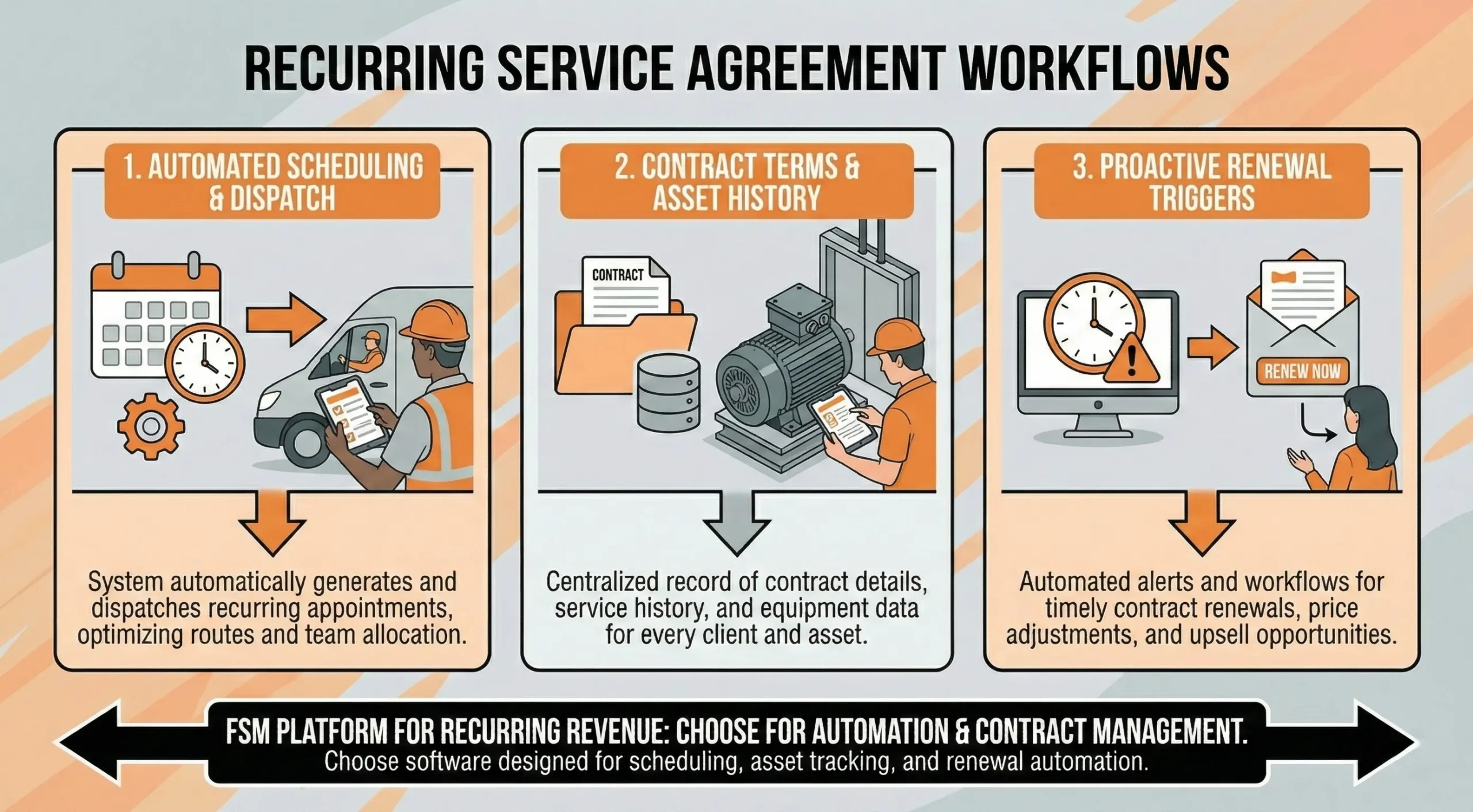
For businesses built around recurring service agreements, such as HVAC maintenance plans, elevator service contracts, or pool maintenance schedules, the ability to automate scheduling, track contract terms, and trigger renewal workflows determines platform fit.
Fig – FSM Platform for Automation and Contract Management
Zoho FSM has the strongest native support for this pattern. Service agreements can define visit frequency, covered services, and SLA terms. Scheduled maintenance jobs can be auto generated based on agreement rules, and renewal reminders can be automated. When connected to Zoho Books, contract billing and revenue recognition align with service delivery.
Housecall Pro supports recurring service plans as a paid add on ($40/month). The feature handles basic recurring scheduling and billing but lacks the contract management depth (SLA tracking, coverage rules, asset level agreements) that operations with 50 or more active contracts typically need.
Jobber supports recurring job scheduling but does not have a dedicated service contract management framework. Recurring visits can be set up, but contract terms, coverage rules, and renewal workflows require manual tracking.
Field Service Management Software for Automation, API access, and extensibility
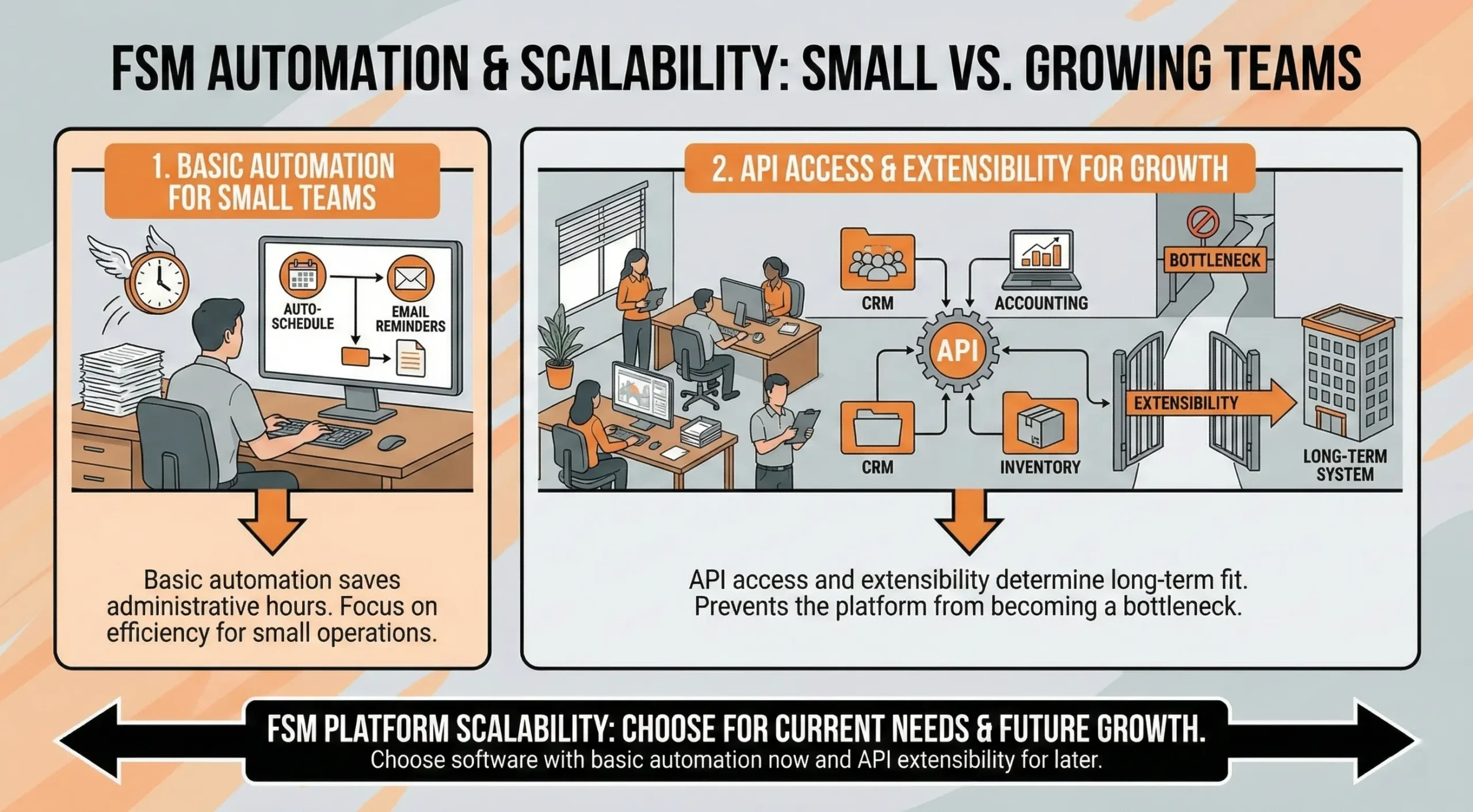
The ability to automate repetitive tasks and integrate with external systems varies significantly across these platforms. For small teams, basic automation saves administrative hours. For growing operations, API access and extensibility determine whether the platform becomes a long term system of record or an eventual bottleneck.
Fig – FSM API access impact on Small vs Growing teams
Field Service Management Software for Automation architecture
Zoho FSM offers the deepest automation layer. Workflow rules can trigger actions based on field changes, status transitions, or time based conditions. Deluge scripting extends this further, allowing businesses to implement custom business logic such as auto assigning technicians based on skill tags, calculating job costs from parts and labor entries, triggering escalation emails when SLA thresholds approach, or creating follow up work orders when specific conditions are met. Blueprint workflows enforce process sequences, preventing users from skipping required steps. The trade off is that building and maintaining these automations requires technical competence. Teams without a developer or technically proficient admin will either underuse the capability or create automations that become difficult to troubleshoot.
Jobber provides limited native automation. Automated follow ups for quotes and invoices, appointment reminders, and basic job status notifications are included. Beyond that, businesses need third party tools like Zapier or Make to connect Jobber to external systems or build multi step workflows. Zapier integrations work for simple triggers (new customer created, job completed) but add $20 to $80 per month in subscription costs and introduce a dependency on a third party platform. For teams that need conditional logic, branching workflows, or complex triggers, Jobber’s native automation will feel limiting.
Housecall Pro offers pre-built automation for its core workflow loop, appointment reminders, on the way notifications, follow up review requests, and payment reminders. These work well for the service call transaction pattern and require no configuration beyond toggling them on. Custom automation beyond these pre-built options is not available natively. Businesses that need workflows tailored to their specific operational patterns will need external tools.
Field Service Management Software for API access and integration depth
API capabilities matter for businesses that need to connect FSM data to other systems like accounting software, CRM, marketing platforms, inventory management, or custom dashboards.
Zoho FSM provides a full REST API with webhook support, custom function triggers, and deep integration with the Zoho ecosystem via native connectors. API access is available on paid plans. Rate limits are documented, and the API covers work orders, service appointments, contacts, invoices, and custom modules. For businesses building a connected operational stack within Zoho (CRM, Books, Desk, Analytics), the integration is native and bidirectional.
Jobber offers a REST API on higher tier plans. The API covers core entities (clients, jobs, invoices, quotes) but has limitations on custom fields and advanced query capabilities. Webhook support is limited compared to Zoho FSM. Most Jobber integrations in practice run through Zapier, which handles the connection layer but adds cost and introduces latency.
Housecall Pro has the most limited API among the three. Integration options are primarily through pre built connectors (QuickBooks, Google Calendar, Zapier) rather than direct API access. Businesses that need custom integrations or data pipelines into external systems will find this constraining. Data extraction for reporting or analytics purposes may require contacting support for bulk exports.
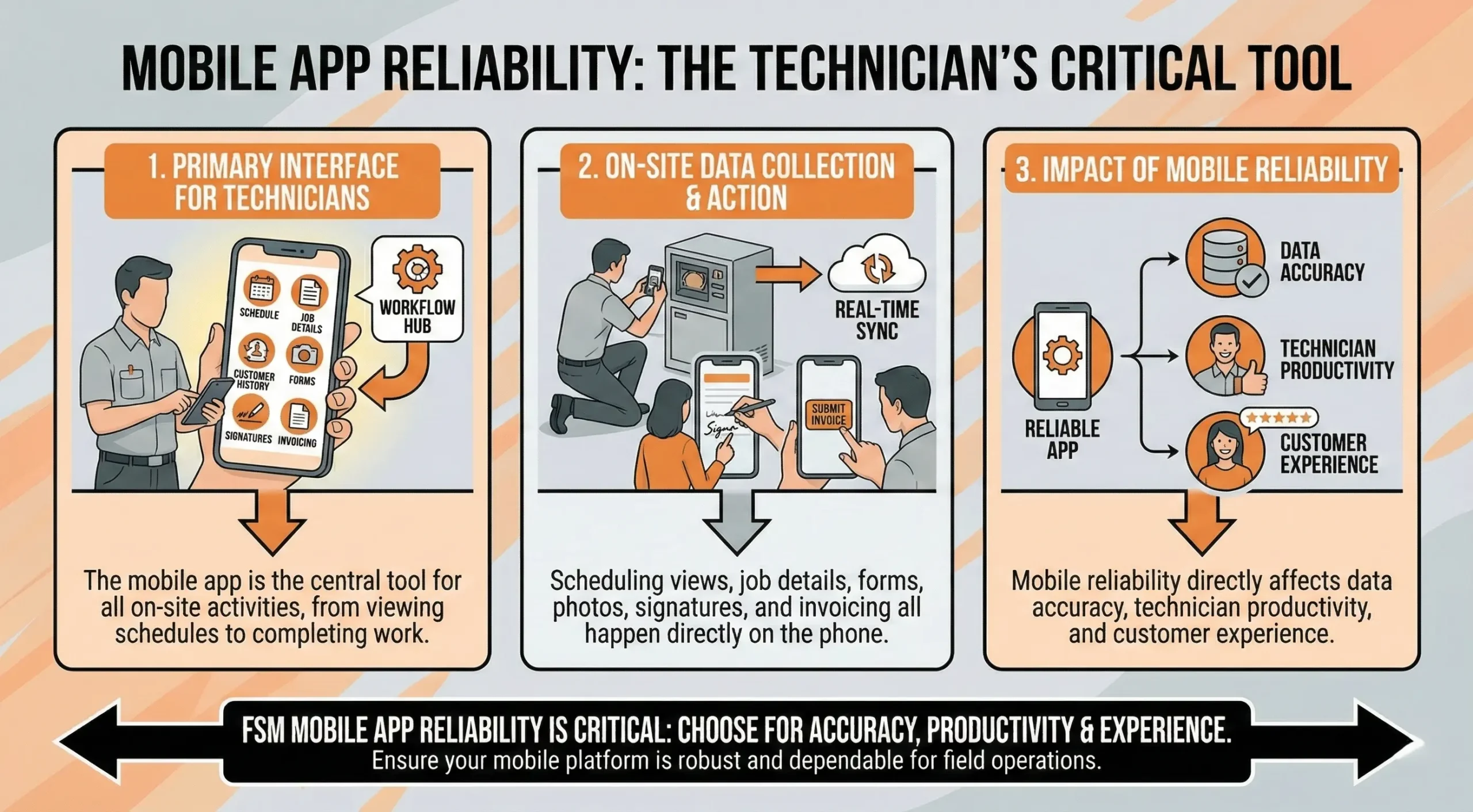
Field Service Management Software for Mobile app architecture and field reliability
For field service businesses, the mobile app is the primary interface for technicians. Scheduling views, job details, customer history, forms, photos, signatures, and invoicing all happen on the phone. Mobile reliability directly affects data accuracy, technician productivity, and customer experience.
Fig – A reliable mobile app for FSM businesses is critical
Field Service Management Software for Offline capability
Field technicians regularly work in environments with poor or no connectivity areas like basements, commercial buildings with thick walls, rural properties, and underground utilities. How each platform handles offline scenarios determines whether work gets recorded accurately or lost.
Zoho FSM provides basic offline caching. Technicians can view previously loaded job details and update statuses while offline, with data syncing when connectivity returns. The depth of offline access depends on what was loaded before the connection dropped. Forms, checklists, and new data entry have limited offline support.
Jobber has minimal offline capability. The platform relies on an active connection for most operations. Users report that the app does not function reliably without connectivity, and there is no dedicated offline mode for form completion or job updates. Data entered during connectivity gaps may not sync correctly, creating accuracy risks.
Housecall Pro provides partial offline caching, but the implementation is incomplete. Job details and pricing information may not be available offline, and form submissions require connectivity. Technicians in low connectivity environments report being unable to complete job documentation until they return to a connected area.
Field Service Management Software for App performance and reliability
Beyond offline capability, day to day app performance affects technician productivity.
Jobber’s mobile app is praised for its clean interface and ease of navigation but has documented reliability issues around quote creation (app freezing, data loss) and multi screen navigation to access full job context. These issues appear intermittently and may be device specific, but they affect field workflows when they occur.
Housecall Pro’s mobile app is generally well regarded for scheduling and dispatch visibility. GPS tracking updates every few minutes rather than in real time, which limits its usefulness for time sensitive dispatch decisions. Some users report feature parity gaps between the mobile and desktop versions, meaning certain operations are only available on desktop.
Zoho FSM’s mobile app covers core field operations which includes triggers like, job updates, time logging, photos, checklists, and signatures. The app can feel slower to load than Jobber’s lighter interface, particularly when dealing with work orders that have extensive custom fields or attachments. For teams with complex work order configurations, mobile performance should be tested with representative job data during evaluation.
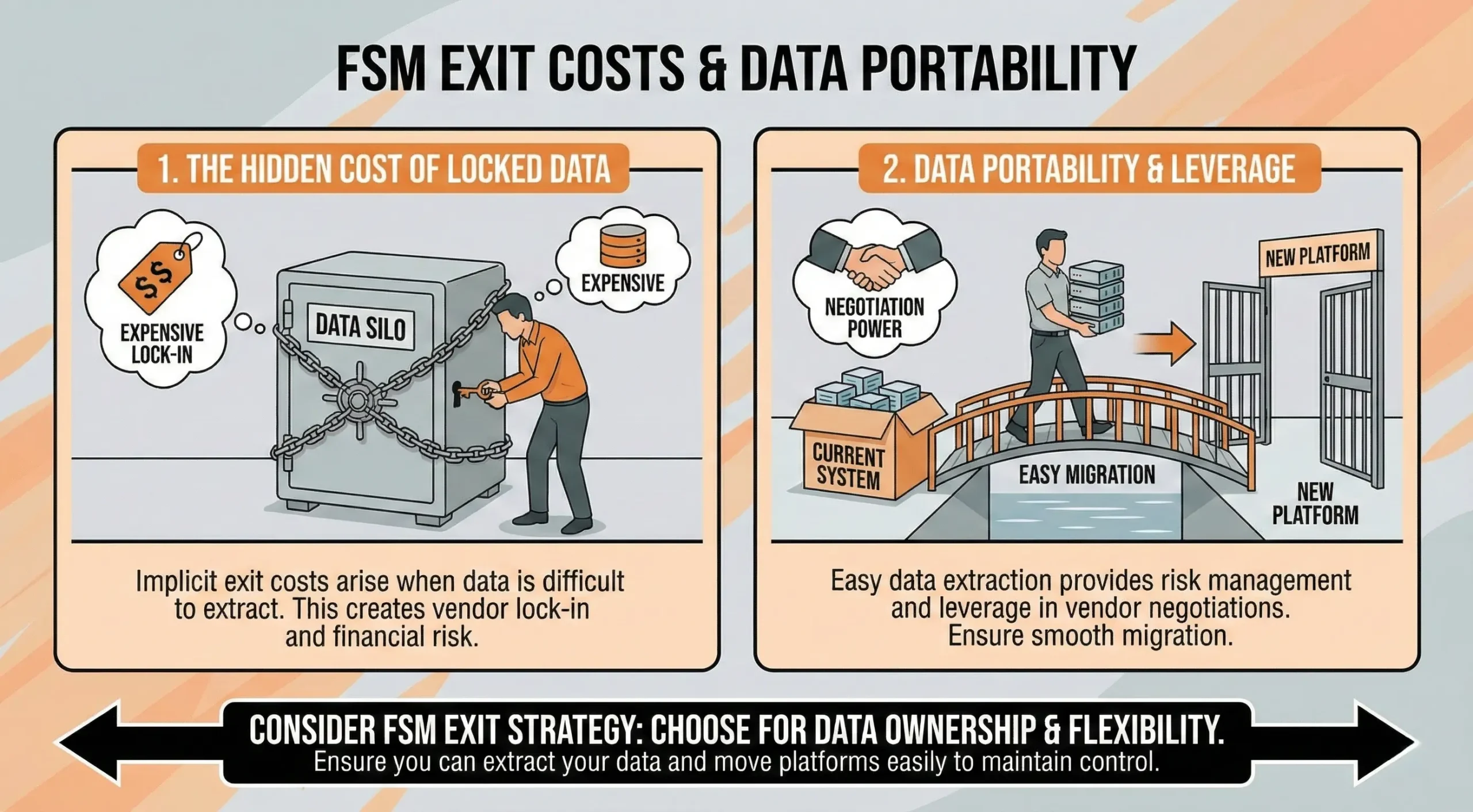
Field Service Management Software for Data portability and exit planning
Every platform decision includes an implicit exit cost. How easily you can extract your data and move to another system matters both for risk management and for maintaining leverage in vendor negotiations.
Fig – FSM Software exit strategy and cost of data portability
Zoho FSM offers the most complete data extraction options. CSV exports cover standard modules, and the REST API allows programmatic extraction of work orders, contacts, service history, and custom fields. Within the Zoho ecosystem, data flows between FSM, CRM, and Books, so the extraction scope may extend beyond FSM alone. Businesses that have built extensive customizations (Deluge scripts, custom modules, Blueprint workflows) should factor in the cost of recreating that logic in a new system. The data is portable; the business rules encoded in the configuration are not.
Jobber supports CSV exports for core data like, clients, jobs, invoices, and quotes. The API provides additional extraction capability on higher tier plans. Historical job data, including notes, photos, and attachments, may require manual export or support assistance. The migration path out of Jobber is relatively straightforward because the data model is simple, but businesses should verify that all historical records are extractable before assuming portability.
Housecall Pro provides CSV exports for customer and job data, but full data extraction (including photos, documents, and detailed transaction history) may require contacting support. Users on community forums report difficulties with bulk data export. Businesses considering Housecall Pro should test the export functionality early and confirm that their complete operational history can be extracted in a usable format. The cost of a difficult migration away from the platform should be factored into the total cost of ownership.
What we’ve learned after deploying Field Service Management Software for multiple Small Business
At Clixlogix, we’ve implemented field service management systems across different team sizes, trades, and operational complexities. The patterns that determine success or failure are rarely about features. They show up in deployment architecture, data migration, integration quality, and how platforms behave at scale. Here’s what we’ve observed.
Setup timelines depend on where you’re coming from
The labels “quick” or “moderate” setup obscure what actually drives deployment time. The real variables are your current data state, the number of systems being replaced, and how much process standardization you need.
A five technician HVAC team moving from spreadsheets and a shared Google Calendar can be running on Jobber or Housecall Pro within three to five days. The data normalization is minimal: customer names, addresses, phone numbers, and a basic job history.
The same size team migrating from a legacy FSM platform with three years of job history, parts records, and customer notes faces a different project entirely. Data transformation, field mapping, and validation can take two to four weeks before the first live job is dispatched. Historical data that looks clean in the source system often contains inconsistencies, duplicate customer records, or incomplete job statuses that only surface during import.
Zoho FSM deployments for teams of ten to fifteen technicians with structured workflows, multi department visibility, and Zoho ecosystem integration typically require four to six weeks of configuration and testing. This is not a platform limitation. It reflects the operational complexity being modeled into the system. Rushing this phase to save a week almost always creates rework in month two.
Integration quality varies from what’s advertised
QuickBooks integration is listed as a feature on all three platforms. In practice, the sync quality differs significantly.
Common issues we’ve encountered across implementations include duplicate invoice generation when sync timing conflicts with manual entries, chart of accounts mapping failures that put revenue in the wrong categories, and inconsistent sync frequency that creates gaps between field billing and book balances. These are not platform bugs in the traditional sense. They are architectural mismatches between how FSM platforms generate billing data and how QuickBooks expects to receive it.
The practical solution is integration testing before go live. Run ten to fifteen representative jobs through the complete cycle, from service request to payment, and verify that every transaction lands correctly in QuickBooks. Check for duplicates, timing delays, and category mapping. This step adds two to three days to deployment but prevents weeks of reconciliation problems after launch.
Payment processor integration carries its own nuances. Settlement timing, processing fees, and threshold based account flagging vary between platforms and the payment providers they use. Housecall Pro’s Stripe based processing, for example, can flag accounts that process unusually large transactions or experience sudden volume spikes. Understanding these thresholds before your first high ticket job avoids cash flow disruptions.
Every platform has a scaling ceiling
No FSM platform scales indefinitely without friction. The question is where the ceiling sits for your growth trajectory.
Jobber’s reporting architecture starts showing strain around twelve to fifteen technicians. The built in reports are template based and not deeply customizable. Teams at this size typically need multi crew profitability analysis, lead to close conversion rates, and technician utilization metrics that require data exports or external BI tools.
Housecall Pro’s workflow model reaches its limit when businesses add installation or project work alongside service calls. The platform handles high volumes of service call transactions well, but the absence of project phase tracking, change orders, and milestone billing means growing businesses often end up running a second system for project work.
Zoho FSM accommodates larger teams and more complex workflows, but customization creates its own scaling problem. Organizations that build heavily customized automations, custom fields, and Deluge scripts in the early months often face mounting maintenance overhead as the system grows. We recommend treating Zoho FSM customization as infrastructure: version it, document it, and review it quarterly.
Hidden costs that don’t appear in the pricing table
The subscription price is the most visible cost. It’s rarely the total cost.
SMS and communication charges accumulate at volume. At twenty to thirty jobs per day, communication costs can add $50 to $150 per month depending on message volume and platform pricing.
Payment processing fees differ by method and platform. Credit card processing typically runs 2.5% to 2.9% plus $0.30 per transaction. Instant payout options add an additional 1% on most platforms. For a business processing $50,000 per month in field payments, the difference between standard and instant payouts is $500 per month.
Third party integration costs fill gaps that platforms don’t cover natively. Zapier or Make subscriptions typically run $20 to $80 per month depending on task volume.
Training and productivity loss during transition is the largest hidden cost for most teams. Even with a “quick setup” platform, the first two weeks typically see a 15% to 25% drop in daily job throughput as technicians and office staff learn the new system.
Total cost of ownership of a Field Service Management Software for Small Business
Beyond the list price
True cost includes:
Users added over time
Paid add ons
Training hours
Software Advice reports that poor onboarding is a major reason companies switch field service management software for small business within two years.
Pricing as teams grow
A five truck business often pays more than expected by year two. Planning early prevents regret. Here’s a quick pricing comparison:
Platform
Plan / Tier
Monthly Price
Annual (per mo)
Users / Limits
What's Included (Core)
Zoho FSM
Free
$0
$0
Up to 20 users, 30 appts/mo
Basic service orders, scheduling, invoicing
Standard
~$25/user/mo
~$25/user/mo
Up to 200 users
Expanded scheduling, dispatch, location tracking
Professional
~$35/user/mo
~$35/user/mo
Up to 200 users
Asset mgmt, multi day appts, inventory
Jobber
Core
$39/mo
~$25 to 29/mo
1 user
Scheduling, quoting, invoicing, booking, mobile
Connect
$119/mo
~$72/mo
Up to 5 users
QuickBooks sync, automations, two way texting
Grow
$199/mo
~$120/mo
Up to 10 users
Job costing, quote follow ups, reminders
Plus
$599/mo
Custom
Up to 15 users
All features, marketing suite, premium support
Housecall Pro
Basic
$79/mo
$59/mo
1 user
Scheduling, dispatch, invoicing, booking, reviews
Essentials
$189/mo
$149/mo
Up to 5 users
QuickBooks sync, GPS tracking, marketing
MAX
$329/mo+
$299/mo+
Up to 8 users
Advanced reporting, onboarding, priority support
What’s not in the table:
Jobber charges $29/user/month for additional users beyond plan limits. Add on features (Marketing Suite, route optimization) carry separate charges.
Housecall Pro add ons include, Sales Proposal Tool ($40/mo), Recurring Service Plans ($40/mo), Flat Rate Price Book powered by Profit Rhino ($149/mo), Vehicle GPS ($20/vehicle/mo), and VoIP/Call Tracking (custom pricing).
Zoho FSM pricing is appointment based. The per user cost stays flat, but the number of monthly appointments you purchase determines the total. Unused appointments do not carry over.
All prices verified as of early 2026. Check vendor websites for current rates.
Conclusion
Let’s return to the opening scene. Phones ringing. Jobs delayed. Customers waiting.
Good field service management software for small businesses does not fix bad planning. But it removes guesswork. It shows where work stands. It shortens the time between finishing a job and getting paid. It keeps small teams steady during busy weeks. Choosing the best field service management software for small business is not about features. It’s about how work moves from call to completion.
Zoho FSM suits teams that want control. Jobber fits teams that want speed. Housecall Pro supports home service call work well.
For businesses that want expert help setting up or improving their field management software for small business, Clixlogix brings deep experience implementing FSM systems across industries. Their team helps companies reduce setup time, avoid costly mistakes, and improve daily productivity using the right service management software for small business needs.
The best trial runs one real job from start to finish and asks one question, did today feel easier?
FAQs
What is the best field service management software for a small business in 2026?
There is no single "best" option for every small business. The right choice depends on how your work actually runs day to day. Jobber is best for teams that want fast setup, minimal training, and simple job flows. Zoho FSM works better for businesses that need structured workflows, repeatable processes, and tighter operational control as they grow. Housecall Pro is strongest for home service businesses that rely on customer communication, reviews, and repeat bookings. The best software is the one that reduces daily friction, not the one with the most features.
How do I decide between Zoho FSM, Jobber, and Housecall Pro?
Start by looking at how complex your jobs are and how disciplined your processes need to be. If your work involves recurring jobs, compliance, detailed estimates, or multi day tasks, Zoho FSM is usually the best fit. If your jobs are short, frequent, and straightforward, Jobber's speed and simplicity can save time every day. If your business depends heavily on customer trust, reviews, and home service workflows, Housecall Pro is designed specifically for that environment.
Is field service management software really necessary for small teams?
Small teams feel operational pain faster than large ones because there's less margin for error. Missed updates, delayed invoices, and scheduling confusion directly impact cash flow and customer satisfaction. Field service management software replaces memory, sticky notes, manual follow ups, and spreadsheets with shared visibility.
Which platform is easiest to set up and learn?
Jobber is the fastest to set up and learn for most small teams. Many businesses can start scheduling jobs, sending invoices, and collecting payments within a few hours. Housecall Pro needs moderate setup time, roughly three to seven days, and its learning curve aligns well with home service teams. Zoho FSM requires the most upfront configuration, typically one to three weeks, but the investment pays off for teams that need structured workflows. If speed to launch is your top priority, Jobber usually wins.
How do costs change as my team grows?
Costs often increase faster than owners expect. Jobber and Housecall Pro pricing rises as you add users and unlock higher tier features. Zoho FSM uses per user pricing, which can be more predictable for larger teams but still grows with headcount. Beyond subscription fees, total cost includes onboarding time, training, paid add ons, productivity loss during transitions, and third party integration costs (Zapier, payment processing fees, SMS charges at volume).
Which tool is best for higher ticket jobs and estimates?
Zoho FSM handles higher ticket jobs better than the others. It connects estimates, work orders, invoices, and payments in a structured way that reduces pricing errors and improves accountability. This is especially valuable for multi day jobs, asset based services, or regulated work. Jobber and Housecall Pro can handle estimates, but they are better suited to faster, repeatable jobs rather than complex service workflows.
Can Housecall Pro handle installation or project based work?
Housecall Pro is designed for service call transactions, not project based work. It does not support change order management, deposit and progress billing, project phase tracking, or milestone based invoicing. Businesses that handle installation work alongside service calls will need a separate system for the project side, or should consider a platform with native project workflow support.
Which platform has the best API for custom integrations?
Zoho FSM offers the most complete API with REST endpoints, webhook support, and Deluge scripting for custom logic. Jobber provides API access on higher tier plans with coverage for core entities but limited custom field support. Housecall Pro has the most limited API, relying primarily on pre built connectors and Zapier for integrations. If your business requires custom data pipelines, reporting dashboards, or connections to specialized industry tools, API capability should be a primary evaluation criterion.
What should I test during a free trial?
Run at least ten representative jobs through the full cycle, service request, scheduling, dispatch, technician execution, invoicing, and payment collection. Test mobile app reliability with your actual job types, including in low connectivity environments if your technicians work in those conditions. Verify QuickBooks sync accuracy by checking for duplicates and correct category mapping. Try scheduling changes and cancellations during a busy day. If you process field payments, test transactions to understand settlement timing and fee structures. Export your data to verify portability before committing.
How easy is it to switch platforms later?
Switching costs depend on data volume, customization depth, and integration complexity. Jobber's simple data model makes extraction relatively straightforward. Zoho FSM data is portable through CSV and API, but custom workflow logic (Deluge scripts, automations, Blueprints) cannot be exported and would need to be rebuilt. Housecall Pro's data export requires support assistance for complete extraction. Plan for two to six weeks of migration effort depending on your data history and the complexity of your target platform.
Written By
Chief Executive Officer
As CEO of Clixlogix, Pushker helps companies turn messy operations into scalable systems with mobile apps, Zoho, and AI agents. He writes about growth, automation, and the playbooks that actually work.
Store owners in Shopify have noticed something unsettling. Traffic patterns are changing. Pages that used to rank well are getting fewer clicks, even though rankings...
Auto insurance agencies handle a steady flow of work. Emails arrive throughout the day. Calls are returned. Documents are reviewed and filed. Renewals move in...